
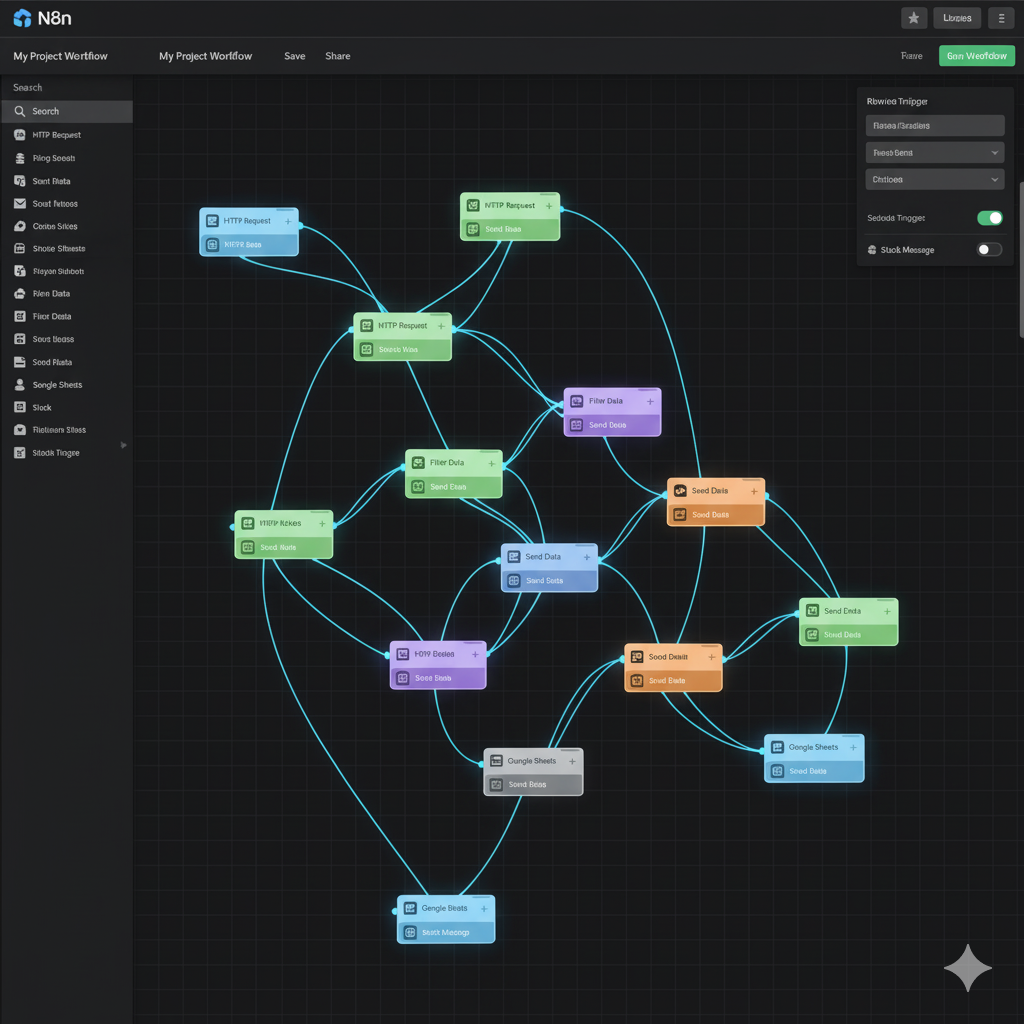
n8n automation guide 2026 open source power for all workflows, lets you automate anything from simple tasks to complex systems using a visual interface.
Table of contents
1. Introduction
Imagine a world where your emails reply themselves, your social media runs on autopilot, your home lab manages itself, and your daily tasks are handled smarter than a full-time assistant — all without spending a single rupee.
N8n isn’t just another workflow automation tool; it’s a personal assistant, a developer’s playground, and a powerful automation engine — all rolled into one. Zapier, Make.com, IFTTT — sab theek hai, but N8n next level ka power deta hai kyunki isme aapko milta hai:
- Poora Control: Apne data ka aap malik ban jao.
- Zero Limitations: Tasks ki koi monthly limit nahi.
- Zero Monthly Cost: Open-source hai, bilkul free.
- Full Privacy: Apne server pe self-host karo.
- AI-Powered Workflows: Aise automations jo sach mein smart lagte hain.
Isliye 2025 open-source automation ka golden era hai, aur yeh guide aapko beginner se pro banakar rahega, step-by-step.
2. What is N8n? (Simple Explanation)
N8n ek open-source workflow automation tool hai jisme aap drag-and-drop interface use karke apne complex workflows bana sakte ho. Coding ki zaroorat nahi — but agar aap developer ho, toh aap ise aur bhi gehrai tak customize kar sakte ho.
Seedhe shabdon mein samjhein:
👉 “Aap socho. Workflow banao. N8n kaam karna shuru karta hai.”
⭐ Key Highlights
- 1,000+ Integrations: Har popular tool se connect ho jata hai.
- Drag-and-Drop Builder: Bilkul visual aur easy-to-use.
- Self-Hosting: Apne server pe chalayein, poora control rakhein.
- AI-Ready: AI nodes built-in hain.
- HTTP Node: Kisi bhi custom API ko connect kar sakte hain.
- Free + Open Source: Koi hidden cost nahi.
N8n ka interface bilkul beginner-friendly hai, aur advanced users ke liye built-in JavaScript code editor bhi hai. Dono worlds ka best combination.
3. Why N8n Beats Zapier & IFTTT
N8n zyaada powerful, flexible, cheaper, aur customizable hai kisi bhi popular automation tool se.
Yeh hai wajuhat:
🔥 1. Open-Source = Poora Control
Aap ise kahi bhi run kar sakte hain:
- Apni Local Machine
- VPS (DigitalOcean, AWS)
- Private Cloud
- Docker Container
- Raspberry Pi
Zapier & IFTTT = Sirf Cloud mein, aur sirf Paid plans ke saath.
🔥 2. Advanced Logic & AI Power
Zapier complex logic, loops, ya custom AI workflows ko N8n jaise handle nahi kar pata.
N8n aapko deta hai:
- AI Summary Nodes
- AI Classification
- AI Memory
- OpenAI, ChatGPT, Claude, Llama integrations
🔥 3. Custom API? No Problem
Ek simple HTTP node ke saath, aap kisi bhi service ki API ko instantly integrate kar sakte ho.
🔥 4. Pricing: No Competition
N8n = Free (Self-Hosted).
Zapier = Mahanga, especially 100 tasks/month ke baad.
4. Real-Life Examples: What Can You Automate?
Chaliye, ise practical banate hain.
Yeh kuch real-world workflows hain jo log roz use karte hain:
1. News Aggregator + AI Summary
- Multiple RSS feeds (blogs, news sites) se data aata hai.
- N8n automatically nayi stories fetch karta hai.
- AI unhe ek short, crisp summary mein convert karta hai.
- Yeh digest directly WhatsApp, Email, ya Discord pe bhej diya jata hai.
Perfect for:
- Bloggers
- Researchers
- Digital Agencies
2. Home Lab Automation
Aap apne home server ke saare tasks automate kar sakte hain:
- Automatic Backups
- Disk Usage Monitoring
- Log Analysis
- Alert System (Jaise hi koi issue ho, SMS/Email aa jaye)
Using Cron + Docker + N8n.
3. Social Media Auto Posting
- YouTube
- Twitter (X)
Aap AI se content generate karwao → usko schedule karo → aur vo automatically publish ho jaye.
4. Smart Email Assistant
Sochiye:
- Auto Replies
- Support Ticket Creation
- Lead Sorting & Categorization
- AI-Powered Email Summaries
Yeh aisa hai jaise aapka ek full-time employee ho.
5. Business Process Automation
- CRM Auto-Updates
- Notion Database mein change → Slack Alert
- Google Sheets mein naya entry → WhatsApp Message
- Payment complete hote hi → Automatic Invoice Email
Small businesses ke liye yeh game-changer hai.
5. How to Start Using N8n (Step-by-Step)
Step 1: Install N8n
Aap inme se koi bhi ek option choose kar sakte hain:
- Self-host (Recommended: VPS, Docker)
- N8n Cloud (Managed Service)
- Local Installation
Aapka Raspberry Pi 4 bhi iske liye kaafi powerful hai.
Step 2: Setup Credentials
Apne required services ke access keys add karein:
- Gmail/Outlook
- Notion
- OpenAI API
- Discord/Slack
- Social Media Accounts
Step 3: Create Your First Workflow
Create Workflow button pe click karein → ek trigger node drag karein.
Popular Triggers:
- Schedule Trigger (Time-based)
- Webhook Trigger (Instant)
- RSS Trigger (New Feed Item)
- Email Trigger (New Email)
Step 4: Add Action Nodes
Nodes Lego blocks ki tarah kaam karte hain. Kuch powerful nodes:
- HTTP Request Node
- AI Node (OpenAI, etc.)
- Filter Node (Data ko filter karein)
- Merge Node (Data ko combine karein)
- Code Node (Custom JavaScript)
Step 5: Execute & Debug
N8n aapko behtareen debugging tools deta hai:
- Workflow ko step-by-step test karein
- Data ko “Pin” karke baad mein use karein
- Har node ka live output dekhein
6. AI Integration in N8n (Game Changer)
2026 all about AI-first automation hai, aur N8n isme bahot aage hai.
🔥 N8n ke Andar AI Kya Kar Sakta Hai:
- Articles & Emails ka Summary Likhe
- Emails ko Categories mein Sort Kare
- Content ko Personalize Kare
- Server Logs Analyze Kare
- Errors Detect Kare
- Text ko Rewrite Kare
- Research karke data compile kare
Example Workflow:
RSS Feed → AI Summarize → AI Tone Polish → Email/Slack
7. Data Privacy & Developer Freedom
Kyunki N8n open-source hai, aapko milta hai:
- Apne data ka poora control.
- Local hosting, kisi third-party ko data nahi.
- No vendor lock-in. Aap kabhi bhi platform change kar sakte hain.
- Custom JavaScript daal sakte hain har node ke beech.
- Apne khud ke custom nodes bana sakte hain.
Developers ke liye, yeh ek dream tool hai.
8. Feature–Benefit Table
| Feature | Benefit |
|---|---|
| Open-source | Total freedom + unlimited customization |
| Self-hosting | Full privacy + no task limits |
| AI Integration | Smarter, context-aware workflows |
| 1,000+ Nodes | Connect with almost any service you use |
| HTTP Node | Integrate with any API, even custom ones |
| Visual Builder | Easy for beginners, no code needed |
| JS Support | Ultimate power for advanced users and developers |
| Free Pricing | Best for individuals, startups, and businesses |
9. Comparison Table: N8n vs Zapier vs IFTTT
| Comparison | N8n | Zapier | IFTTT |
|---|---|---|---|
| Integrations | 1,000+ (Rapidly Growing) | 7,000+ | 600+ |
| Hosting | Local + Cloud | Cloud Only | Cloud Only |
| Open Source | Yes | No | No |
| AI Workflows | Strong & Native | Limited | Weak |
| Pricing | Free (Self-Hosted) | Expensive (Usage-Based) | Freemium |
| Custom Logic | Advanced (Code+Logic) | Medium (Limited Logic) | Low (Basic Triggers) |
10. Pros & Cons
✅ Pros (Faide)
- Bilkul Free & Open Source: Koi cost nahi, poora control.
- Behad Powerful: Complex workflows handle karne ki takat.
- AI-Ready: Built-in AI nodes future-proof hain.
- Works Anywhere: Kisi bhi server pe deploy kar sakte hain.
- Developer Friendly: Code integration se power badh jati hai.
❌ Cons (Kamiyan)
- Thodi Si Learning Curve: Beginners ko interface naya lagega.
- Self-Hosting Requires Tech Skills: Basic server knowledge chahiye.
14. Conclusion + CTA
N8n kewal ek automation tool nahi hai — yeh ek complete ecosystem hai. Chahe aap beginner ho jo simple workflows banana chahta hai, ya ek developer ho jo AI-powered automation build karna chahta hai, N8n aapko unlimited power deta hai — bina kisi limitation ya subscription ke headache ke.
Bhai, agar aapko sacchi automation chahiye, jo aapke rules pe chale…
Toh N8n hi future hai.
👉 Aaj hi ise try karein aur apne workflows ko next level pe le jayein!
15. FAQs
1. Is N8n free to use?
Haan, bilkul free hai. N8n open-source hai, so aap ise apne server pe bilkul free mein host kar sakte hain. N8n Cloud ka ek paid plan bhi hai managed hosting ke liye.
2. Does N8n support AI like ChatGPT?
Ji haan, full support hai. N8n mein directly OpenAI (ChatGPT), Claude, Llama, aur any other AI service ko connect karne ke liye dedicated nodes hain.
3. Can beginners use N8n easily?
Bilkul. Visual drag-and-drop interface hai, jisse basic workflows banana bahot aasan hai. Thoda time lagega interface ko samajhne mein, lekin overall it’s beginner-friendly.
4. Can I install N8n on my own server?
Haan, yeh toh iski sabse badi khasiyat hai. Aap N8n ko apne VPS, Docker container, local machine, ya Raspberry Pi pe bhi install kar sakte hain.
5. Is N8n better than Zapier?
Advanced automation, AI workflows, data privacy, aur cost ke liye — N8n behtar hai. Agar aapko 7,000+ pre-built integrations chahiye aur aap technical setup nahi karna chahte, toh Zapier better option ho sakta hai.
17. Sources (References)
[1] Official N8n vs. Zapier Comparison: https://n8n.io/vs/zapier/
[2] Zapier’s take on Automation Tools: https://zapier.com/blog/n8n-vs-zapier/
[3] N8n Community Discussion on Reddit: https://www.reddit.com/r/n8n
[4] In-depth Analysis by Digidop: https://www.digidop.com/blog/n8n-vs-make-vs-zapier
[5] AI Workflows with N8n: https://blog.promptlayer.com/n8n-vs-zapier
[6] Curotec on Workflow Automation: https://www.curotec.com
[7] Techpoint Africa Guide: https://techpoint.africa/guide/n8n-vs-zapier
[8] YouTube Tutorial on N8n: https://www.youtube.com/watch?v=0yBIAbpgzTs
[9] Contabo Blog Comparison: https://contabo.com/blog/n8n-vs-zapier-vs-make
[10] WebspaceKit Review: https://webspacekit.com/n8n-vs-zapier/