

Table of Contents
Webex Explained: 11 Powerful Facts You Must Know
Webex is one of the most trusted communication platforms used by businesses, enterprises, educators, and remote teams worldwide. If you are confused about what Webex does, how it compares to Zoom or Microsoft Teams, or whether it’s free or secure, this guide will clear everything up.
This article is pillar content, meaning you’ll find every major question answered in one place—clearly and in detail.
1. What Is Webex Used For?
Webex is used for online meetings, video conferencing, team collaboration, webinars, and business calling. It is especially popular in corporate environments where security, compliance, and reliability matter.
Companies use Webex for:
- Remote team meetings
- Client presentations
- Online training sessions
- Large-scale webinars
- Secure internal communication
Unlike casual meeting tools, Webex is designed with enterprise-grade security.
2. Is Webex a Phone Call or Video Platform?
Webex supports both audio and video communication.
You can:
- Join meetings using voice only
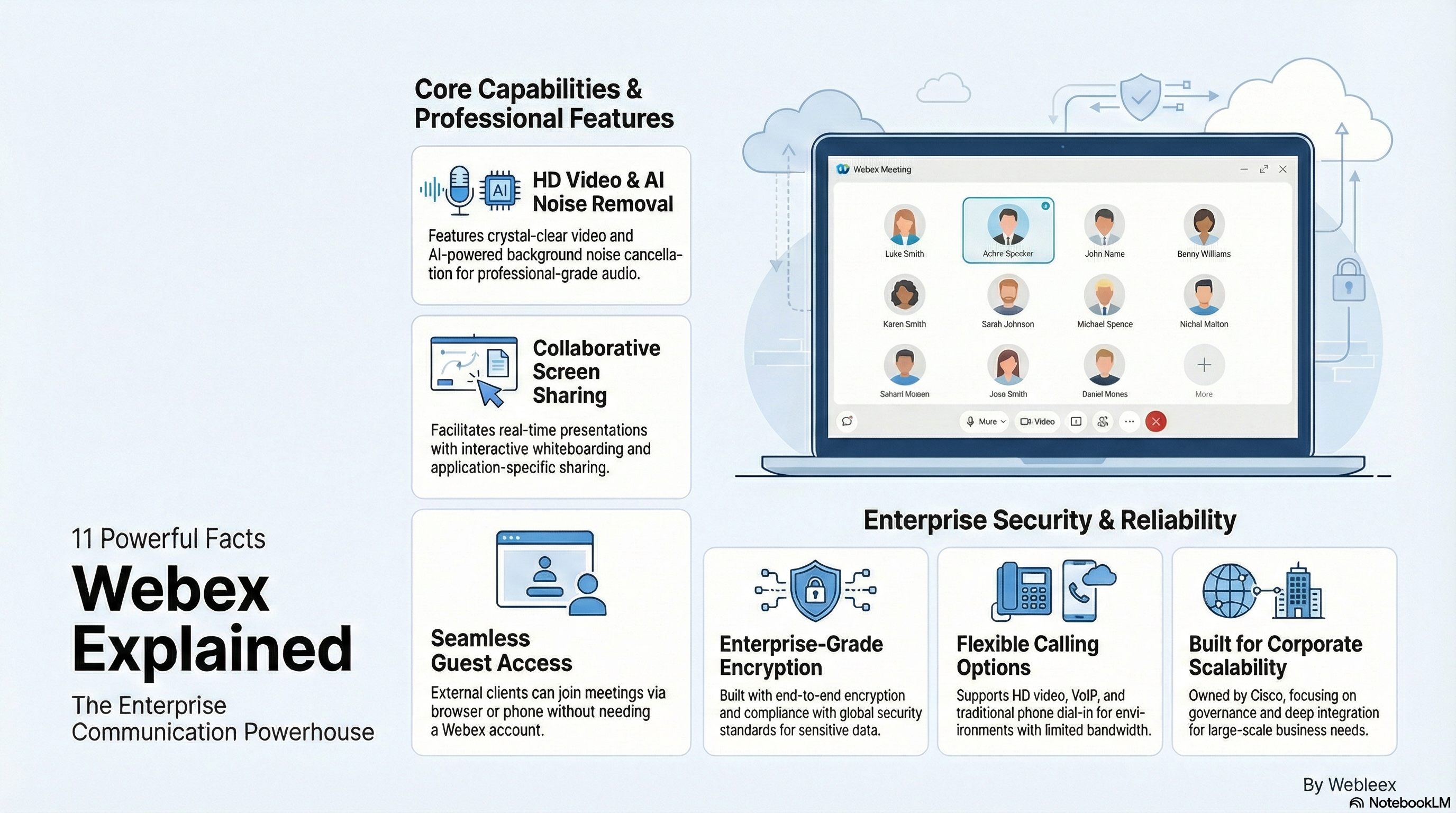
- Use HD video conferencing
- Dial in using a phone number
- Make VoIP calls through Webex Calling
This flexibility makes Webex useful even when internet speed is limited.
3. Does Webex Use a Camera?
Yes, Webex uses your camera for video meetings.
However:
- Camera use is optional
- You can join with audio only
- You can turn video on or off anytime
This is useful for users who want privacy or have bandwidth constraints.
4. What Are Three Features of Webex?
Here are three powerful features of Webex that users appreciate most:
🔹 HD Video & Noise Removal
Crystal-clear video and AI-powered background noise cancellation.
🔹 Screen Sharing & Whiteboarding
Share your screen, apps, or presentations with real-time annotations.
🔹 Enterprise Security
End-to-end encryption and compliance with global security standards.
(You can explore more features on the official Cisco site:
👉 https://www.webex.com
5. Is Webex by Cisco Free?
Yes, Webex offers a free plan, but with limitations.
Webex Free Plan Includes:
- 40-minute meeting limit
- Up to 100 participants
- HD video & screen sharing
Paid Plans Offer:
- Longer meeting duration
- Advanced admin controls
- Webinars & calling features
For enterprises, paid plans are usually the better choice.
6. Can Someone Without Webex Join a Meeting?
Yes, anyone can join a Webex meeting without an account.
They can:
- Join via browser
- Join through a meeting link
- Dial in by phone
This makes Webex very convenient for clients and external users.
7. What Is the Difference Between Zoom and Webex?
| Feature | Webex | Zoom |
|---|---|---|
| Security | Enterprise-grade | Improved but lighter |
| Best For | Businesses & enterprises | Casual & small teams |
| Meeting Control | Advanced | Simple |
| Compliance | Very strong | Moderate |
Webex is better for organizations that value security and governance, while Zoom is more user-friendly for casual meetings.
8. Is Webex Like Microsoft Teams?
Yes, but with key differences.
Webex focuses on:
- Meetings
- Calling
- Webinars
Microsoft Teams focuses on:
- Chat-based collaboration
- File sharing
- Deep Microsoft 365 integration
If your company already uses Office 365, Teams may fit better. Otherwise, Webex is a strong standalone solution.
9. Is Webex Owned by Microsoft?
No.
Webex is owned by Cisco, not Microsoft.
Cisco is a global leader in networking and enterprise technology, which explains Webex’s strong focus on security and scalability.
10. What Was the Old Name of Webex?
Originally, Webex was known as WebEx Communications, founded in 1995.
Cisco acquired WebEx in 2007, and later rebranded it as Cisco Webex, and now simply Webex.
11. What Are the Disadvantages of Webex?
While Webex is powerful, it’s not perfect.
Common Disadvantages:
- Interface feels complex for beginners
- More expensive than Zoom
- Heavy on system resources
- Less casual-friendly
Still, for businesses, these drawbacks are often acceptable.
12. Who Is the CEO of Webex?
Amitabh “Ami” Talwalkar is the President and CEO of Webex.
Under his leadership, Webex has focused on AI features, hybrid work solutions, and stronger integrations.
✅ Final Verdict
Webex is a professional-grade communication platform built for businesses that need reliability, security, and scalability. While it may feel heavy for casual users, it shines in enterprise and remote-work environments.
If your priority is secure meetings, stable performance, and long-term business use, Webex is a solid choice.