

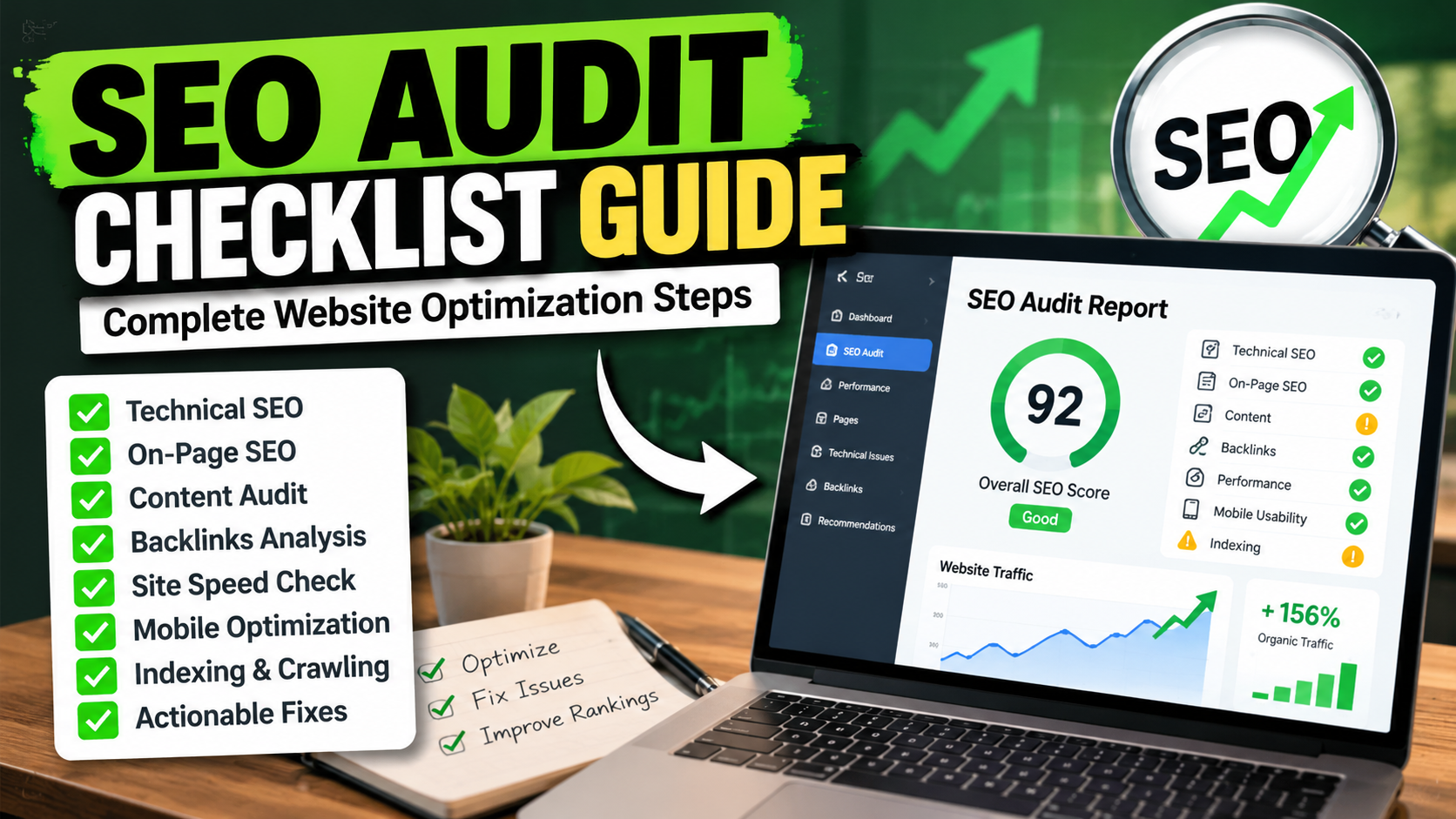
SEO Audit Checklist Guide: Comprehensive Steps to Optimize Your Website
Performing a thorough SEO audit is a vital step to uncover issues that might be holding your website back from ranking well in search engines. This SEO audit checklist guide will walk you through detailed, actionable steps to analyze your site’s health, identify technical and content problems, and implement fixes that improve visibility and user experience. Whether you manage a small blog or a large e-commerce platform, following a structured audit process helps you prioritize improvements that matter most. This guide emphasizes not just identifying issues but also understanding their impact and safely applying solutions.
Understanding the Purpose and Scope of an SEO Audit
 Original AI-generated illustration for this section.
An SEO audit is a comprehensive evaluation of your website’s ability to perform well in search engines. It covers multiple areas including technical setup, on-page factors, content quality, user experience, and backlink profile. The goal is to identify barriers to indexing, ranking, and conversions, then provide a prioritized list of fixes. Before diving into tools and checks, clarify the audit’s scope: Are you auditing a new site, an existing one with declining traffic, or a competitor’s site? This helps tailor your focus areas.
Example: If your traffic has dropped recently, focusing on recent technical changes, backlink losses, or content updates might be more urgent than a full-scale audit. Conversely, a new site audit emphasizes foundational SEO setup.
Defining scope also helps allocate resources efficiently. For instance, a small blog might prioritize content and on-page SEO, while a large e-commerce site needs rigorous technical audits and backlink analysis.
1. Technical SEO Audit: Foundation for Search Visibility
Technical SEO ensures search engines can crawl, index, and render your site efficiently. Start with these key checks:
1.1 Crawlability and Indexability
Use tools like Google Search Console and Screaming Frog to crawl your site. Confirm that your important pages return a 200 OK status and are not blocked by robots.txt or noindex tags. Watch for accidentally blocked resources or pages that should be indexed but aren’t.
Common errors: Pages returning 404 or 500 errors, canonical tags pointing incorrectly, duplicate content causing indexing issues.
Safe Implementation Guidance: Before removing any noindex tags or modifying robots.txt, verify the intent behind them. For example, some pages like admin or staging versions should remain unindexed. Use Google Search Console’s Coverage report to identify indexing issues and validate fixes.
Verification: After corrections, request indexing in Google Search Console and monitor the coverage status over the following days.
1.2 HTTPS and Security
Verify your site uses HTTPS throughout without mixed content warnings. A valid SSL certificate is crucial for trust and rankings. Tools like SSL Labs can help assess your SSL setup.
Example: Mixed content occurs when HTTPS pages load HTTP resources (images, scripts). This can cause browser warnings and negatively impact SEO. Use browser developer tools to find and fix these.
Safe Implementation: When migrating from HTTP to HTTPS, use 301 redirects for all pages and update internal links and canonical tags to HTTPS URLs to avoid duplicate content.
1.3 Site Speed and Core Web Vitals
Page load speed and user experience metrics such as Largest Contentful Paint (LCP ≤ 2.5s), Interaction to Next Paint (INP ≤ 200ms), and Cumulative Layout Shift (CLS ≤ 0.1) are critical ranking factors. Use Google PageSpeed Insights or Lighthouse to measure these and identify bottlenecks like render-blocking scripts, unoptimized images, or slow server response times.
Concrete Examples: If your LCP is slow, it might be due to large hero images not optimized or slow server response times. INP issues often arise from heavy JavaScript blocking user interactions. CLS problems usually stem from images or ads loading without defined dimensions.
Implementation Tips: Implement browser caching, compress images using modern formats like WebP, and defer or asynchronously load non-critical JavaScript. For WordPress sites, consider following the Best WordPress Speed Optimization Techniques in 2026 for detailed guidance.
Verification: After optimizations, retest with PageSpeed Insights and monitor Core Web Vitals reports in Google Search Console to ensure improvements are sustained.
1.4 Mobile Usability
Mobile-first indexing means your site must perform flawlessly on mobile devices. Check for viewport configuration, clickable elements spaced properly, and absence of horizontal scrolling. Google Search Console’s Mobile Usability report highlights common issues.
Example: Small touch targets or overlapping buttons frustrate users and may cause Google to flag usability issues. Use Chrome DevTools’ device mode to simulate mobile devices and test interactions.
Safe Implementation: Use responsive design techniques, avoid fixed-width elements, and ensure font sizes are readable on small screens. Test on multiple devices and browsers for consistency.
1.5 Sitemap and Robots.txt Hygiene
Ensure your XML sitemap is up-to-date, includes only canonical URLs, and is submitted to Google Search Console. The robots.txt file should allow crawling of essential pages and block irrelevant or sensitive areas.
Common Pitfalls: Including non-canonical URLs in sitemaps can confuse search engines. Overly restrictive robots.txt rules might block important resources like CSS or JavaScript, affecting rendering.
Verification: Use Google Search Console’s Sitemaps and Coverage reports to confirm sitemap acceptance and crawling status. Test robots.txt rules with Google’s robots.txt Tester.
2. On-Page SEO Checklist: Optimizing Content and HTML Elements
On-page SEO focuses on optimizing individual pages to rank higher and earn relevant traffic.
2.1 Title Tags and Meta Descriptions
Review each page’s title tag and meta description for uniqueness, relevance, and optimized length (title: 50–60 characters, meta: 140–160 characters). Titles should include primary keywords naturally without stuffing. Meta descriptions should entice clicks and summarize page content accurately.
Example: A title like “Affordable Running Shoes for Men | BrandName” is clear, keyword-rich, and user-friendly. Avoid generic titles like “Home” or keyword stuffing such as “Running Shoes Running Shoes Best Running Shoes”.
Safe Implementation: Use SEO plugins or CMS features to edit meta tags. Avoid duplicating titles or descriptions across pages. After updates, monitor click-through rates (CTR) in Google Search Console to gauge effectiveness.
2.2 Heading Structure
Verify a logical heading hierarchy using <h1> for the main title and subsequent <h2>, <h3> tags for subheadings. This improves content structure and accessibility. Avoid multiple <h1> tags on a single page.
Example: On a blog post, the post title is <h1>, main sections use <h2>, and subsections use <h3>. This hierarchy helps search engines understand content organization.
Verification: Use browser developer tools or SEO crawlers to inspect heading tags. Screen readers also rely on proper heading structure for accessibility.
2.3 URL Structure and Canonicalization
URLs should be clean, descriptive, and include relevant keywords without unnecessary parameters or session IDs. Implement canonical tags to prevent duplicate content issues from similar or paginated pages.
Example: Use URLs like example.com/seo-audit-checklist instead of example.com/page?id=12345. For paginated content, canonical tags should point to the main page or use rel=”next” and rel=”prev” where appropriate.
Safe Implementation: Avoid changing URLs frequently; if changes are necessary, implement 301 redirects from old URLs to new ones to preserve link equity.
2.4 Internal Linking
Check that your internal links use descriptive anchor text and point to relevant pages. Proper internal linking distributes link equity and helps users navigate your site. Avoid broken internal links and orphaned pages.
Example: Instead of “Click here,” use “Read our SEO audit checklist guide” as anchor text. This improves keyword relevance and user clarity.
Verification: Use crawling tools like Screaming Frog to identify broken links and orphan pages. Fix or remove broken links promptly.
2.5 Image Optimization
Images should have descriptive alt attributes for accessibility and SEO. Use appropriately sized images and modern formats like WebP for faster loading. Lazy-load images that are offscreen but avoid lazy-loading critical hero images to prevent layout shifts.
Example: An image of a running shoe might have alt="Blue running shoe with breathable mesh upper" rather than a generic alt="shoe".
Safe Implementation: Use CMS or plugins that support responsive images and lazy loading. Test pages after optimization to ensure images load correctly and no visual glitches occur.
3. Content Quality and SEO Performance Analysis
Content remains a cornerstone of SEO success. Evaluate your content with these considerations:
3.1 Content Relevance and Uniqueness
Ensure your content addresses user intent and is original. Avoid thin or duplicated content that adds little value. Use tools to detect plagiarism and duplicate content within your site.
Example: If you run a blog about SEO audits, ensure each article covers distinct topics or angles rather than repeating the same information. Adding unique insights or updated data enhances value.
Safe Implementation: Regularly audit your content using tools like Copyscape or site-specific duplicate content checkers. Consolidate or remove low-value pages to improve overall site quality.
3.2 Keyword Optimization
Analyze keyword usage for natural integration of primary and secondary keywords. Avoid keyword stuffing and focus on semantic relevance. For beginners looking to improve keyword targeting, the SEO Keyword Research for Beginners Guide offers a step-by-step approach.
Example: Instead of repeating “SEO audit checklist” excessively, use related terms like “site optimization steps,” “technical SEO review,” or “content quality analysis” to cover semantic breadth.
Verification: Use SEO tools to analyze keyword density and semantic relevance. Monitor rankings and adjust content based on performance.
3.3 User Engagement Metrics
Review metrics such as bounce rate, average session duration, and pages per session to gauge content effectiveness. High bounce rates may indicate irrelevant or poor-quality content.
Example: A product page with a high bounce rate might have misleading meta descriptions or slow loading times, causing visitors to leave quickly.
Safe Implementation: Use Google Analytics to segment traffic and identify pages with poor engagement. Test content improvements, layout changes, or calls to action to enhance user interaction.
4. Backlink Profile and Off-Page SEO Evaluation
Backlinks remain a major ranking factor. Use tools like Ahrefs, Moz, or SEMrush to audit your backlink profile.
4.1 Link Quality and Toxicity
Identify high-authority referring domains and toxic or spammy links that could harm your rankings. Disavow harmful links carefully after thorough analysis.
Example: Links from reputable industry sites or educational institutions are valuable, whereas links from link farms or irrelevant directories can be toxic.
Safe Implementation: Use backlink analysis tools to generate a list of suspicious links. Before disavowing, attempt outreach to webmasters for link removal. Disavow only as a last resort to avoid unintended consequences.
4.2 Anchor Text Diversity
Check for natural anchor text distribution to avoid penalties for over-optimization.
Example: A natural backlink profile includes branded anchors, generic terms (“click here”), and keyword-rich anchors in moderation.
Verification: Analyze anchor text reports in backlink tools and aim for a balanced, diverse profile.
5. Troubleshooting Common SEO Audit Errors
During your audit, you may encounter issues that require careful handling:
- Incorrect Redirects: Ensure 301 redirects are properly implemented for moved pages, avoid redirect chains and loops. Redirect chains increase page load time and can dilute link equity.
- Duplicate Content: Use canonical tags and noindex where appropriate to consolidate duplicates. For example, printer-friendly versions or session ID URLs can cause duplicates.
- Robots.txt Blocking: Double-check that important pages aren’t accidentally disallowed. Blocking CSS or JS files can impair rendering and ranking.
- Slow Server Response: Consider upgrading hosting or using CDN services. Monitor server response times with tools like GTmetrix or Pingdom.
Safe Practice: Always back up your site and use staging environments before applying technical fixes. Document changes and monitor their impact post-deployment.
6. Practical SEO Audit Checklist Summary
| Audit Area | Key Checks | Tools/Methods |
|---|---|---|
| Technical SEO | Crawl status, HTTPS, site speed, mobile usability, sitemap, robots.txt | Google Search Console, Screaming Frog, PageSpeed Insights, SSL Labs |
| On-Page SEO | Title tags, meta descriptions, headings, URLs, internal links, images | Manual review, SEO plugins, Screaming Frog |
| Content Quality | Relevance, uniqueness, keyword use, engagement metrics | Analytics tools, plagiarism checkers |
| Backlinks | Link quality, toxicity, anchor text diversity | Ahrefs, Moz, SEMrush |
7. FAQs About SEO Audit Checklist Guide
Q1: How often should I perform an SEO audit?
Ideally, conduct a full SEO audit at least twice a year or after significant website changes. Regular monitoring of key metrics monthly helps catch issues early. For fast-growing sites or those in competitive niches, quarterly audits may be beneficial.
Q2: Do I need technical knowledge to perform an SEO audit?
Basic technical understanding helps, especially for server responses, redirects, and indexing. Many audit tools offer user-friendly reports, but complex issues might require developer assistance. Learning foundational concepts like HTTP status codes, canonicalization, and site architecture improves audit effectiveness.
Q3: Can SEO audits improve site speed?
Yes, audits identify performance bottlenecks such as uncompressed images or inefficient scripts. Addressing these improves Core Web Vitals and overall user experience, which can positively influence rankings and user retention.
Q4: What risks should I consider before making SEO changes?
Incorrect changes can cause loss of traffic or indexing issues. Always back up your site and test changes in a staging environment before applying them live. Avoid mass deletions or redirects without analysis. Monitor site performance and rankings closely after changes.
Conclusion and Next Steps
This SEO audit checklist guide equips you with a structured approach to analyze your website comprehensively. Start by running technical audits with tools like Google Search Console and Screaming Frog, then review on-page elements and content quality. Don’t overlook backlink analysis and user engagement metrics. Prioritize fixes based on impact and feasibility, and always back up your site before technical changes.
For WordPress users, consider exploring related topics such as How to Fix Common WordPress SEO Mistakes in 2026 and WordPress Core Web Vitals Optimization Guide 2026 to further enhance your SEO efforts. Remember, SEO is an ongoing process—regular audits and updates ensure your site remains competitive and aligned with evolving search engine algorithms.
Official Resources and Further Reading
These official resources are useful for checking the documentation and maintaining your setup as tools change.