
Microsoft Office 2024 Professional Plus: 7 Powerful Reasons It’s the Best MS Office Version Yet
Microsoft Office 2024 Professional Plus – Complete Overview
Office LTSC Professional Plus 2024 is a volume-licensed desktop productivity suite for organizations that need a stable, locally installed version of Office. Unlike Microsoft 365 Apps, it does not include ongoing feature updates or cloud-backed Copilot AI capabilities. See the official Microsoft overview for licensing and feature details.
The Office LTSC Professional Plus 2024 suite includes core desktop productivity applications such as Word, Excel, PowerPoint, Outlook, Access, and OneNote. Project and Visio are separate products with their own licensing requirements.
1. What Is Microsoft Office 2024 Professional Plus?
Microsoft Office 2024 Professional Plus is the latest standalone (one-time purchase) edition of Microsoft Office for Windows PCs. Unlike subscription-based Microsoft 365, this version is ideal for users who prefer lifetime licensing with long-term stability.
It includes all essential Microsoft applications required for professional work, business operations, education, and enterprise environments.
2. What’s New in Microsoft Office 2024 Professional Plus
Microsoft has introduced several meaningful improvements in Office 2024, focusing on efficiency, collaboration, and intelligent assistance.
🔹 Major highlights include:
- Real-time document collaboration
- AI-powered writing and data insights
- Faster app performance
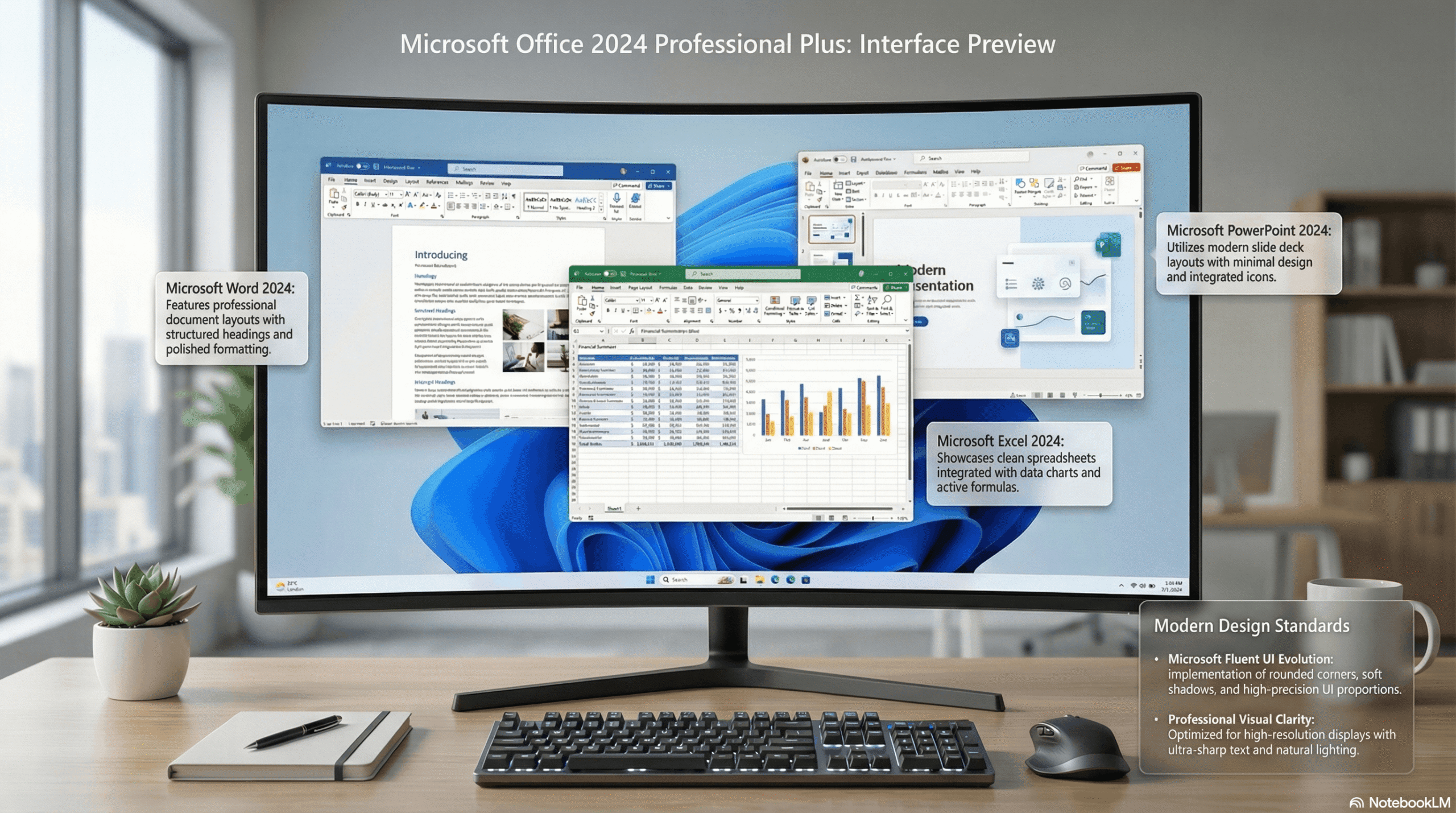
- Modernised Fluent UI design
- Improved security framework
3. Key Features of Microsoft Office 2024 Professional Plus
Microsoft Word 2024
- Smart writing suggestions
- Enhanced grammar and clarity checks
- Better PDF handling and formatting tools
Microsoft Excel 2024
- Advanced data analysis features
- Automatic trend detection
- Improved charts, formulas, and Power Query tools
Microsoft PowerPoint 2024
- AI-assisted slide design
- New transitions and animations
- Presenter-focused enhancements
Microsoft Outlook 2024
- Smarter email categorisation
- Faster search and filtering
- Improved calendar management
Microsoft Access & Project
- Better database performance
- Improved project planning tools
- Enhanced compatibility with modern systems
4. Office LTSC 2024 vs Microsoft 365 AI Features
Licensing clarification: Office LTSC 2024 does not include the cloud-backed AI automation and Microsoft 365 Copilot capabilities available through eligible Microsoft 365 plans. Review the Microsoft documentation before choosing a license.
- Office LTSC 2024 is designed for stable desktop productivity, not bundled cloud AI.
- Microsoft 365 plans can provide additional connected services and continuously updated features.
- Confirm AI feature eligibility and licensing directly with Microsoft before purchasing.
For cloud-connected AI assistance in Word, Excel, and PowerPoint, compare eligible Microsoft 365 offerings separately. Do not assume those capabilities come with an Office LTSC 2024 license.
5. Improved User Interface & Performance
Microsoft Office 2024 introduces a refreshed and modern UI based on Microsoft’s Fluent Design System.
UI Improvements:
- Cleaner ribbon interface
- Improved navigation
- Better spacing and readability
Performance Enhancements:
- Faster startup times
- Improved stability on Windows 10 and Windows 11
- Better memory management for large files
6. Security and Collaboration Improvements
🔐 Security Features
- Advanced encryption
- Improved data protection
- Better compliance controls
🤝 Collaboration Tools
- Real-time co-authoring
- Instant change syncing
- Secure document sharing
These upgrades make Microsoft Office 2024 Professional Plus suitable for remote teams and enterprise environments.
7. System Requirements for Microsoft Office 2024 Professional Plus
Minimum System Requirements
- Operating System: Windows 10 or Windows 11
- Processor: 2.0 GHz or faster (Dual-core or higher)
- RAM: 4 GB (8 GB recommended)
- Storage: 10 GB free disk space
- Display: 1280 × 768 resolution
8. Editions Available in Microsoft Office 2024
Microsoft Office 2024 is available in multiple editions to suit different user needs:
- Home & Student
- Home & Business
- Professional
- Professional Plus
Among these, Professional Plus is the most feature-rich edition.
9. Who Should Use Microsoft Office 2024 Professional Plus?
This version is ideal for:
✔ Business professionals
✔ Enterprises and organisations
✔ Freelancers and consultants
✔ Advanced Excel and Access users
✔ Users who prefer a one-time purchase
External Resources
- Microsoft Official Office Page: https://www.microsoft.com/microsoft-365
- Office System Requirements: https://support.microsoft.com
10. Final Verdict
Microsoft Office 2024 Professional Plus represents a strong step forward in desktop productivity software. With its AI-powered tools, enhanced collaboration, modern UI, and improved security, it delivers everything professionals need in a reliable, long-term solution.
If you are looking for a powerful, stable, and future-ready MS Office version, Office 2024 Professional Plus is a smart choice.