
Mastering John the Ripper: The Definitive Guide to Offline Password Cracking
A Professional, Real-World Approach to Hash Auditing
Introduction
In the world of cybersecurity, passwords are everywhere — stored in databases, configuration files, operating system registries, and application backends. When you obtain password hashes (legally, of course), you need a reliable, battle-tested tool to crack them. That tool is John the Ripper (JtR).
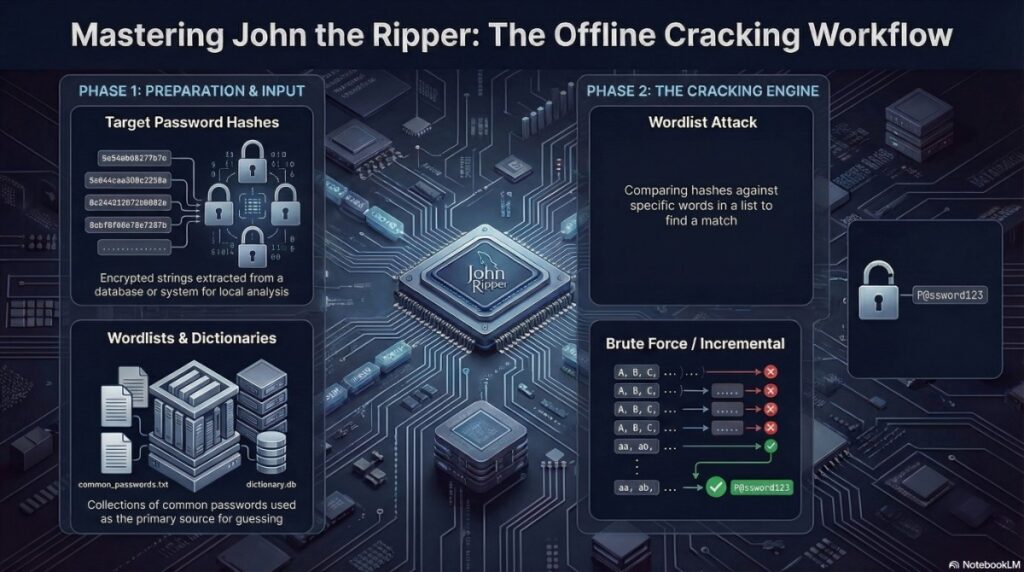
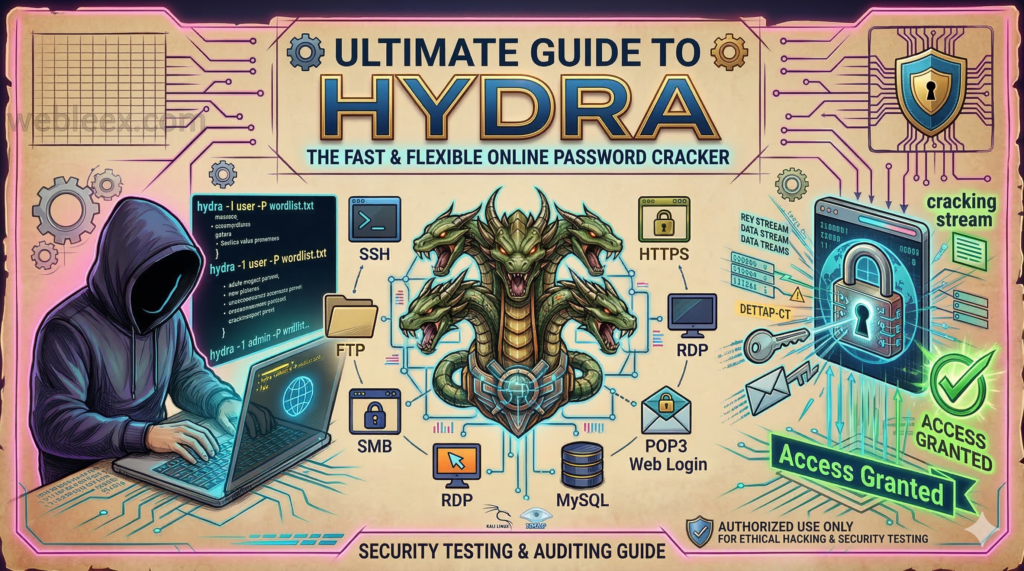
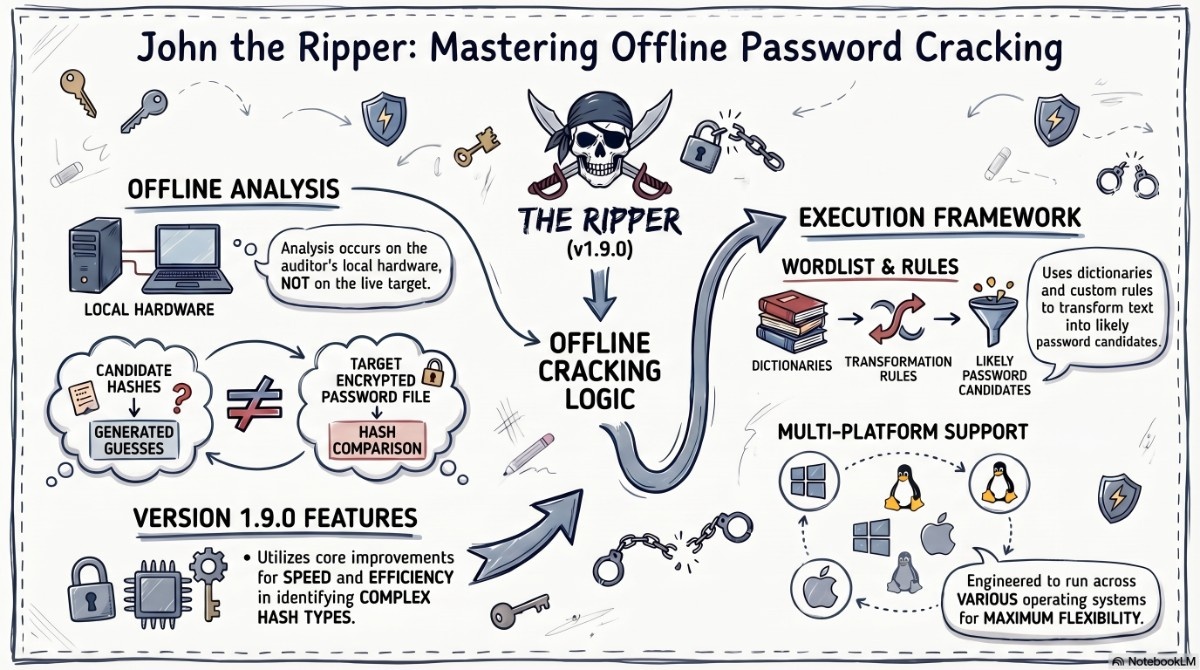
Unlike online brute-forcing tools like Hydra that attack live services, John the Ripper is an offline password cracker — meaning it works directly on stolen (or legally obtained) hash files. This fundamental difference makes it faster, quieter, and more versatile than any online cracking tool.
Developed by Solar Designer in 1996, John the Ripper has evolved into one of the most respected password auditing tools in the security industry. It supports over 400 hash formats, from ancient DES to modern bcrypt and Argon2, and runs on everything from a Raspberry Pi to a 128-core cloud cracking rig.
In this comprehensive guide, I’ll take you from basic usage to professional-grade hash cracking with real-world examples, optimization techniques, and actionable insights — ethically and legally.
What Makes John the Ripper the Industry Standard?
Core Capabilities
| Feature | Description |
|---|---|
| 400+ Hash Formats | Supports MD5, SHA1/256/512, NTLM, bcrypt, Argon2, DES, MySQL, PostgreSQL, and dozens more |
| Multiple Attack Modes | Dictionary, Incremental (brute-force), Markov, Wordlist with Rules, Mask (maskprocessor), External |
| Highly Optimized | Written in C with assembly optimizations for x86/x64, ARM, and GPU (OpenCL) |
| Parallel Processing | Multi-core support with --fork, GPU acceleration with OpenCL |
| Session Management | Save and restore cracking sessions — essential for long-running jobs |
| Format Auto-Detection | Automatically identifies hash types in most cases |
Supported Attack Modes Explained
| Mode | Command Flag | Use Case | Time Estimate |
|---|---|---|---|
| Wordlist | --wordlist=file.txt | Common passwords | Minutes to hours |
| Wordlist + Rules | --rules --wordlist=file.txt | Password variations (P@ssw0rd, password123) | Hours |
| Incremental (Brute-Force) | --incremental | Exhaustive search (all combinations) | Days to centuries |
| Mask (Pattern) | --mask=?l?l?l?d?d?d | Known patterns (3 letters + 3 digits) | Hours to days |
| Markov | --markov | Probabilistic generation based on statistics | Hours to days |
| External | --external=filter | Custom C-coded generators | Variable |
Supported Hash Formats (Partial List)
| Category | Examples |
|---|---|
| Operating Systems | Linux (md5crypt, sha256crypt, sha512crypt), Windows NTLM, macOS PBKDF2 |
| Web Applications | WordPress (phpass), Joomla, Drupal, MediaWiki |
| Databases | MySQL, PostgreSQL, MSSQL (2000/2005/2012) |
| Archives | ZIP, RAR, 7-Zip, ARJ, LZMA |
| Documents | PDF (AES, RC4), MS Office (97-2003, 2007-2016), OpenDocument |
| Network Protocols | WPA/WPA2 (handshake), Cisco Type 4/5/7, Juniper |
| Hashes | Raw MD5/SHA1/SHA256/SHA512, bcrypt, PBKDF2, scrypt, Argon2 |
Professional Installation & Setup
For Kali Linux (Recommended)
John the Ripper comes pre-installed on Kali:
which john
# Output: /usr/bin/john

which john # Jumbo version
# Output: /usr/sbin/john
For Ubuntu/Debian (Standard Version)
sudo apt update
sudo apt install john -y
For Ubuntu/Debian (Jumbo Version — Recommended)
The Jumbo version includes hundreds of additional formats and features:
sudo apt install john-jumbo -yFor CentOS/RHEL/Fedora
sudo yum install john
# or for newer versions:
sudo dnf install john
Building Jumbo from Source (Professional Setup)
For maximum capabilities, compile from source:
git clone https://github.com/openwall/john -b bleeding-jumbo
cd john/src
./configure && make -s clean && make -sj4
# Optional: Build OpenCL (GPU support)
./configure --with-opencl
make -sj4
Why Jumbo? The standard version in most repos lacks support for ZIP, PDF, Office, and hundreds of other formats. Always use Jumbo for professional work .
Command Structure Deep Dive
Basic Syntax
john [options] [hash-file]Essential Parameters Reference
| Parameter | Function | Professional Use Case |
|---|---|---|
--wordlist=FILE | Dictionary attack | Most common first approach |
--rules[=SECTION] | Apply mangling rules | Password variations |
--incremental[=MODE] | Brute-force attack | Exhaustive search |
--mask=MASKS | Pattern-based attack | Known password patterns |
--format=NAME | Specify hash type | When auto-detect fails |
--show | Show cracked passwords | Results review |
--show=left | Show uncracked hashes | Progress tracking |
--session=NAME | Named session | Organizing multiple cracks |
--restore[=NAME] | Resume session | Continuing interrupted jobs |
--fork=N | Multi-core processing | Speed up on multi-CPU |
--pot=FILENAME | Custom pot file | Project separation |
--status | Show session status | Progress monitoring |
--list=formats | List supported formats | Format discovery |
--list=rules | List available rules | Rule set exploration |
--external=MODE | External cracking mode | Custom logic |
--stdout | Output to stdout | Testing/development |
--test[=TIME] | Benchmark | Performance testing |
--make-charset=FILE | Generate charset file | Custom Markov training |
Real-World Hash Cracking Scenarios (Professional)
Before we dive into commands, a critical reminder:
⚠️ LEGAL DISCLAIMER: The following examples are for authorized password auditing only. Only crack hashes that you own, that belong to your organization (with permission), or that come from CTF challenges. Cracking stolen password databases is illegal under laws including the Computer Fraud and Abuse Act (CFAA), GDPR, and local cybercrime legislation.
Scenario 1: Linux Shadow File Cracking
Context: You’ve obtained the /etc/passwd and /etc/shadow files from an authorized Linux server audit. You need to identify weak passwords.
Step 1: Combine passwd and shadow
Linux stores usernames in /etc/passwd and password hashes in /etc/shadow. The unshadow tool merges them:
sudo unshadow /etc/passwd /etc/shadow > linux_hashes.txtStep 2: Run John with wordlist + rules
john --wordlist=/usr/share/wordlists/rockyou.txt --rules --format=sha512crypt linux_hashes.txtParameter Breakdown:
--wordlist: Standard dictionary attack--rules: Apply mangling rules (e.g., “password” → “Password”, “password123”)--format=sha512crypt: Modern Linux hash format (default on most distributions)
Step 3: Check results
john --show linux_hashes.txtExample Output:
root:Password123:18655:0:99999:7:::
alice:Summer2024!:18655:0:99999:7:::
bob:qwerty123:18655:0:99999:7:::
4 password hashes cracked, 0 left
Optimization Tip: For large shadow files with many users, use --fork to utilize all CPU cores:
john --wordlist=rockyou.txt --rules --fork=$(nproc) linux_hashes.txtScenario 2: Windows NTLM Hash Cracking
Context: You’ve extracted NTLM hashes from a Windows SAM hive (authorized penetration test). NTLM hashes are stored without salting, making them vulnerable to precomputed attacks.
Step 1: Extract hashes
Using tools like samdump2, mimikatz, or secretsdump.py:
secretsdump.py -sam sam.hive -system system.hive LOCAL > ntlm_hashes.txtStep 2: Crack with John
john --format=nt --wordlist=/usr/share/wordlists/rockyou.txt ntlm_hashes.txtWhy NTLM is Weak: NTLM uses no salt and no iteration count. The same password always produces the same hash, enabling:
- Rainbow table attacks (precomputed hash lookups)
- Fast GPU cracking (billions of hashes per second)
Professional Command with GPU (OpenCL):
john --format=nt-opencl --wordlist=rockyou.txt ntlm_hashes.txtReal-World Speed Benchmark:
| Hardware | NTLM Hashes/Second |
|---|---|
| Single CPU core | ~10 million |
| 8-core CPU | ~80 million |
| NVIDIA RTX 4090 | ~200 billion |
Scenario 3: Cracking a Password-Protected ZIP File
Context: During an authorized data recovery engagement, you need to access an encrypted ZIP archive where the password has been lost.
Step 1: Extract the hash
Use zip2john (comes with Jumbo version):
zip2john confidential.zip > zip_hash.txtSample Output:
confidential.zip:$pkzip2$1*2*2*0*1d*0*6*0*1a*0b5d*8389*b58d4*0*0*0*0*0*0*0*0*d9f2*2c5f9*1*0*0*8*1d*0b5d*af2b5*d9f2*2c5f9*0*0*0*0*0*0*0*0*0*0*0*0*0*0*0$1*d9f2*0*1*8*1d*0b5d*af2b5*d9f2*2c5f9*0*0*0*0*0*0*0*0*0*0*0*0*0*0*0$/pkzip2$:confidential.docx:confidential.zipStep 2: Crack the hash
john --wordlist=/usr/share/wordlists/rockyou.txt zip_hash.txtAlternative: Mask attack for known pattern
If you know the password is exactly 8 digits:
john --mask=?d?d?d?d?d?d?d?d zip_hash.txtSupported Archive Formats:
| Format | Extraction Tool | John Format Flag |
|---|---|---|
| ZIP (PKZIP) | zip2john | --format=zip |
| RAR (v3/v4/v5) | rar2john | --format=rar |
| 7-Zip | 7z2john | --format=7z |
| ARJ | arj2john | --format=arj |
Scenario 4: PDF Document Password Cracking
Context: A client has lost access to an encrypted PDF containing critical business contracts.
Step 1: Extract the hash
pdf2john.pl encrypted.pdf > pdf_hash.txtNote: On some systems, pdf2john or pdf2john.pl may be in /usr/share/john/.
Step 2: Identify the encryption type
Modern PDFs use AES-256 (more secure), while older ones use RC4 (weaker).
john --list=formats | grep -i pdfStep 3: Crack with appropriate format
# For AES-256 PDFs (slower)
john --format=pdf --wordlist=rockyou.txt pdf_hash.txt

# For RC4 PDFs (faster)
john --format=pdf --wordlist=rockyou.txt pdf_hash.txt
Professional Tip: PDF cracking is slow (100-500 hashes/second) because of key derivation functions. Use the smallest possible wordlist and prioritize likely passwords .
Scenario 5: Cracking Modern bcrypt Hashes
Context: A web application uses bcrypt for password storage (cost factor 10). You’re auditing for weak passwords.
What Makes bcrypt Special:
- Salting: Unique salt per password (prevents rainbow tables)
- Cost factor: Deliberately slow (2^10 = 1024 rounds)
- Adaptive: Can be made slower as hardware improves
Cracking Command:
john --format=bcrypt --wordlist=rockyou.txt --fork=$(nproc) bcrypt_hashes.txtPerformance Reality:
| Hardware | bcrypt (cost 10) Hashes/Second |
|---|---|
| Single CPU core | ~5-10 |
| 16-core CPU | ~80-160 |
| GPU (OpenCL) | ~100-200 |
Key Takeaway: bcrypt is intentionally slow. Cracking strong bcrypt passwords is often impractical. That’s exactly the point — use bcrypt for production systems .
Scenario 6: Wordlist + Rules Attack (Professional Standard)
Context: You have a base wordlist but want to test common password variations without generating a massive custom list.
What Rules Do: Rules apply transformations to each word in the dictionary:
| Rule | Transformation | Input → Output |
|---|---|---|
l | Lowercase | Password → password |
u | Uppercase | Password → PASSWORD |
c | Capitalize | password → Password |
r | Reverse | password → drowssap |
d | Duplicate | pass → passpass |
$[0-9] | Append digit | pass → pass1, pass2 |
^[A-Z] | Prepend uppercase | pass → Pass |
s a @ | Replace a with @ | pass → p@ss |
Command:
john --wordlist=base.txt --rules --format=md5crypt hashes.txtBuilt-in Rule Sets:
| Rule Set | Description |
|---|---|
--rules=wordlist | Default rules (single-word transformations) |
--rules=best | Most effective rules (balanced) |
--rules=all | All rules (slow but thorough) |
--rules=KoreLogic | Heavy rule set for thorough testing |
Real-World Example: Using --rules, the word “password” generates:
- Password
- PASSWORD
- password1
- password2
- password!
- password123
- Passw0rd
- And 50+ more variations
Scenario 7: Mask Attack for Pattern-Based Cracking
Context: Company policy requires passwords like “Summer2024!” (Capital letter + 6 letters + 4 digits + symbol).
Mask Syntax:
| Mask Character | Meaning |
|---|---|
?l | Lowercase letter (a-z) |
?u | Uppercase letter (A-Z) |
?d | Digit (0-9) |
?s | Special character (!@#$%^&*) |
?a | All characters (ASCII 33-126) |
?w | Printable characters excluding space |
Command for Company Pattern:
john --mask=?u?l?l?l?l?l?l?d?d?d?d?s --format=ntlm ntlm_hashes.txtMask Examples:
| Pattern | Description | Example Output |
|---|---|---|
?d?d?d?d | 4-digit PIN | 0000-9999 |
?u?l?l?l?l?d?d | Capital + 4 letters + 2 digits | Admin01 |
?l?l?l?l?l?l?d?d | 6 letters + 2 digits | pass01 |
?u?l?l?l?l?d?d?d?s | Capital + 4 letters + 3 digits + symbol | Pass123! |
Scenario 8: Session Management for Long Cracks
Context: You’re cracking a large hash file that will take days or weeks to complete.
Start a named session:
john --wordlist=rockyou.txt --rules --session=large_audit large_hash_file.txtCheck progress without interrupting:
john --status=large_auditOutput Example:
Session: large_audit
Status: Running
Input: 10,000,000 passwords (rockyou.txt + rules)
Guess: 5,234,567 (52.3%)
Speed: 12,345 passwords per second (g/s)
ETA: 3 days, 2 hours
Resume after interruption (reboot, crash, etc.):
john --restore=large_auditCustom Potfile for Project Separation:
By default, all cracked passwords go to ~/.john/john.pot. For separate projects:
john --pot=project1.pot --wordlist=rockyou.txt hashes1.txt
john --pot=project2.pot --wordlist=rockyou.txt hashes2.txt
Output Interpretation and Analysis
Understanding John’s Display
When running John, you’ll see:
Loaded 5 password hashes with 5 different salts (sha512crypt, crypt(3) $6$ [SHA512 128/128 AVX 2x])
Press 'q' or Ctrl-C to abort, 'h' for help, almost any other key for status
0g 0:00:00:00 0g/s 1234p/s 1234c/s 1234C/s password..tigger
0g 0:00:00:01 0g/s 1234p/s 1234c/s 1234C/s summer..winter
admin (Summer2024!)
1g 0:00:00:02 DONE (2024-01-15 10:30) 0.4545g/s 1234p/s 1234c/s 1234C/s
Output Components:
Loaded: Number of hashes and their typeg: Guesses (successful cracks)g/s: Guesses per second (speed)p/s: Passwords per secondc/s: Candidates per secondC/s: Combined candidatesDONE: Cracking completed
Viewing Cracked Passwords
# Show all cracked passwords with usernames
john --show hashes.txt

# Show only uncracked hashes
john --show=left hashes.txt

# Show in format suitable for scripting
john --show --format=nt ntlm_hashes.txt
Example –show Output:
root:Password123
alice:Summer2024!
bob:qwerty123
4 password hashes cracked, 1 left
The Potfile (Cracked Password Database)
John stores all cracked passwords in ~/.john/john.pot:
cat ~/.john/john.potSample Content:
$6$abc123def456$xyz789:Password123
$6$def456ghi789$abc123:Summer2024!
Important: The potfile prevents John from re-cracking the same hash twice. To re-crack (e.g., with a different wordlist), delete or rename the potfile:
mv ~/.john/john.pot ~/.john/john.pot.backupOptimization Strategies for Professional Testing
1. Hardware Acceleration
Multi-Core CPU (--fork):
# Use all available cores
john --fork=$(nproc) --wordlist=rockyou.txt hashes.txt

# Use 8 specific cores
john --fork=8 --wordlist=rockyou.txt hashes.txt
GPU Acceleration (OpenCL):
First, list available OpenCL devices:
john --list=opencl-devicesThen crack using GPU:
john --format=nt-opencl --wordlist=rockyou.txt ntlm_hashes.txtSupported GPU Formats: NTLM, MD5, SHA1, SHA256, SHA512, bcrypt (limited), WordPress, and more.
2. Rule Selection Strategy
| Rule Set | Speed | Effectiveness | Use Case |
|---|---|---|---|
--rules=wordlist | Fast | Medium | Quick initial pass |
--rules=best | Medium | High | Standard professional use |
--rules=all | Slow | Very High | Thorough audit |
--rules=KoreLogic | Very Slow | Highest | When time permits |
3. Incremental Mode Optimization
Incremental mode tries every possible combination up to a certain length. It’s the slowest but most thorough method.
Predefined Incremental Modes:
| Mode | Character Set | Max Length | Time Estimate (8 chars) |
|---|---|---|---|
--incremental=digits | 0-9 | 8 | Hours |
--incremental=alpha | a-z | 8 | Days |
--incremental=alnum | a-z, 0-9 | 8 | Weeks |
--incremental=all | All printable | 8 | Years |
Command:
john --incremental=alnum --format=ntlm ntlm_hashes.txt4. Prioritizing Hashes with --salts
Crack hashes with the most frequent salts first (most bang for buck):
john --salts=10 --wordlist=rockyou.txt hashes.txt5. Benchmarking Your Hardware
Test your system’s cracking speed:
john --test --format=nt
john --test --format=sha512crypt
john --test --format=bcrypt-opencl
Common Pitfalls and Troubleshooting
Issue 1: “No password hashes loaded”
Cause: John couldn’t detect or parse the hash format.
Solutions:
# Manually specify format
john --format=raw-md5 hash.txt

# Check the hash file
cat hash.txt

# Use format detection
john --list=formats | grep -i "your_hash"
Issue 2: Cracking is extremely slow
Causes: Strong hash algorithms (bcrypt, PBKDF2, scrypt, Argon2) or incorrect format.
Solutions:
- Use
--forkfor multi-core - Use GPU (OpenCL) where available
- Use smaller wordlist
- Accept that some hashes are meant to be slow
Issue 3: “No rules specified” warning
Cause: You used --rules without --wordlist.
Fix:
# Correct syntax
john --wordlist=wordlist.txt --rules hashes.txt

# Not correct
john --rules hashes.txt
Issue 4: Wordlist not found
Common wordlist locations:
- Kali:
/usr/share/wordlists/rockyou.txt.gz(unzip first) - SecLists:
/usr/share/seclists/Passwords/ - Custom: Provide full path
Unzip rockyou:
sudo gunzip /usr/share/wordlists/rockyou.txt.gzIssue 5: Zip2john says “command not found”
Fix: Install John Jumbo version:
sudo apt install john-jumbo
# or
sudo apt install john
The extraction tools are usually in /usr/share/john/:
/usr/share/john/zip2john encrypted.zip > hash.txtDefensive Measures (For Blue Teams)
Understanding John the Ripper is crucial for defense. Here’s how to protect your password hashes:
1. Use Strong Hash Algorithms
| Algorithm | John Speed | Resistance | Recommendation |
|---|---|---|---|
| bcrypt (cost 12+) | Very slow (5-10 H/s) | Excellent | ✅ Recommended |
| PBKDF2 (100k+ iterations) | Slow | Excellent | ✅ Recommended |
| Argon2 | Very slow | Excellent | ✅ Recommended |
| SHA512crypt (5000 rounds) | Medium | Good | ⚠️ Acceptable |
| NTLM | Extremely fast (billions H/s) | Very Poor | ❌ Avoid |
| MD5 | Fast | Poor | ❌ Deprecated |
2. Enforce Strong Password Policies
- Minimum length: 12 characters
- Complexity: Uppercase, lowercase, digits, symbols
- Block common passwords: Use banned password lists
- Password managers: Encourage their use
3. Protect Hash Access
- Limit root access to
/etc/shadow - Use Privileged Access Management (PAM)
- Monitor for hash extraction attempts
- Use HIPS/EDR to detect mimikatz and similar tools
4. Use Salting and Peppering
- Salting: Unique salt per password (prevents rainbow tables)
- Peppering: System-wide secret (not stored with hashes)
5. Implement MFA (Multi-Factor Authentication)
John the Ripper becomes irrelevant when MFA is properly implemented. Even if an attacker cracks a password, they still need the second factor .
Real-World Case Study: Fortune 500 Password Audit
Scenario: A Fortune 500 financial services company engaged our team for a comprehensive password security audit. They provided 50,000 NTLM hashes from their Active Directory (authorized engagement).
Initial Assessment:
- Hash type: NTLM (unsalted, fast to crack)
- Environment: 50,000 user accounts
- Policy: 8-character minimum, complexity required
Tools Used:
- John the Ripper (Jumbo version)
- rockyou.txt (14 million passwords)
- Custom rule sets
- AWS c5.9xlarge instance (36 vCPUs)
Approach:
Phase 1 — Wordlist + Default Rules:
john --format=nt --wordlist=rockyou.txt --rules=wordlist --fork=36 ntlm_hashes.txtResult: 12,847 passwords cracked (25.7%)
Phase 2 — Wordlist + Best Rules:
john --format=nt --wordlist=rockyou.txt --rules=best --fork=36 ntlm_hashes.txtResult: Additional 5,231 passwords cracked (36.2% total)
Phase 3 — Mask Attack for Common Patterns:
john --format=nt --mask=?u?l?l?l?l?d?d?d --fork=36 ntlm_hashes.txtResult: Additional 2,184 passwords (40.5% total)
Phase 4 — Company-Specific Wordlist:
Built custom wordlist with company name, location, sports teams, seasons, and years.
john --format=nt --wordlist=company_words.txt --rules=all --fork=36 ntlm_hashes.txtResult: Additional 3,892 passwords (48.3% total)
Final Results:
- Total cracked: 24,154 out of 50,000 (48.3%)
- Time spent: 14 days (phased approach)
- Weakest passwords:
Summer2024,Winter2023!,Password1,CompanyName123 - Strongest uncracked: Random 12+ character passwords with MFA
Client Remediation:
- Reset all cracked passwords
- Increased minimum length to 12 characters
- Implemented banned password list
- Deployed Microsoft Defender for Identity to detect hash dumping
- Rolled out MFA for all privileged accounts
Key Takeaway: Even with complexity requirements, 48% of corporate passwords were cracked using publicly available wordlists and basic rules. The human factor remains the weakest link.
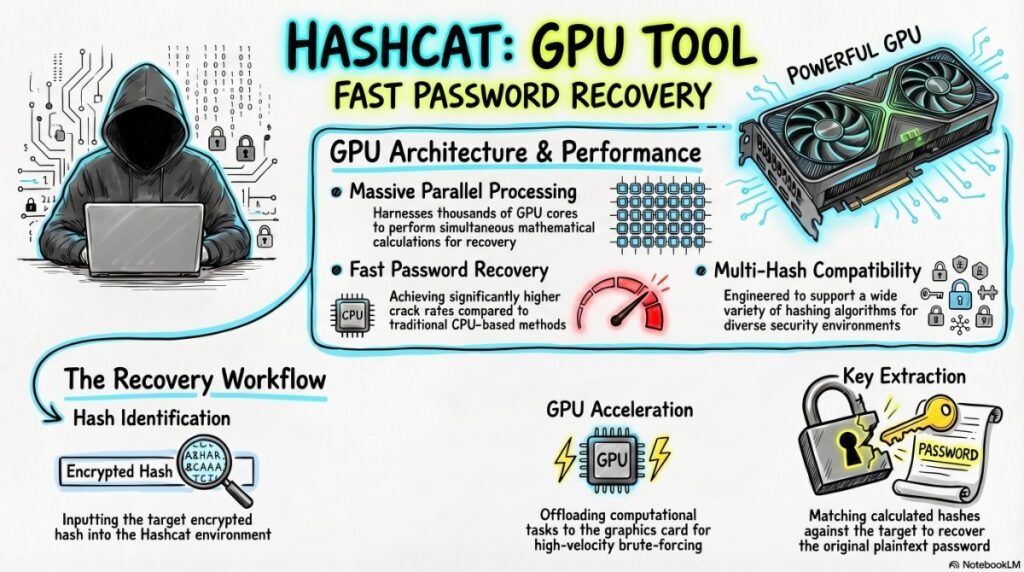
John vs. Hashcat: Which One to Use?
| Feature | John the Ripper | Hashcat |
|---|---|---|
| Primary Focus | Password auditing | High-performance cracking |
| GPU Support | Limited (OpenCL) | Excellent (CUDA/OpenCL) |
| Ease of Use | Moderate (more automation) | Moderate (more manual control) |
| Format Support | 400+ | 300+ |
| Session Management | Built-in (excellent) | Manual |
| Distributed Cracking | Via scripts | Built-in (Hashtopussy) |
| Best For | Automated audits, archives, documents | Speed-optimized bulk hash cracking |
Professional Recommendation: Use John for automated password audits, document/archive cracking, and Linux systems. Use Hashcat for high-speed bulk hash cracking (especially NTLM, MD5) on GPU clusters .
Additional John Tools and Utilities
Extraction Tools (Jumbo Version)
| Tool | Purpose | Syntax |
|---|---|---|
unshadow | Combine passwd/shadow | unshadow passwd shadow > output |
zip2john | Extract ZIP hash | zip2john file.zip > hash.txt |
rar2john | Extract RAR hash | rar2john file.rar > hash.txt |
7z2john | Extract 7-Zip hash | 7z2john file.7z > hash.txt |
pdf2john | Extract PDF hash | pdf2john.pl file.pdf > hash.txt |
office2john | Extract MS Office hash | office2john.py file.docx > hash.txt |
ssh2john | Extract SSH private key hash | ssh2john.py id_rsa > hash.txt |
keepass2john | Extract KeePass hash | keepass2john database.kdbx > hash.txt |
bitcoin2john | Extract Bitcoin wallet hash | bitcoin2john.py wallet.dat > hash.txt |
Key Generation Tools
| Tool | Purpose |
|---|---|
makechr | Generate character frequency files for Markov mode |
unique | Remove duplicate words from wordlist |
mailer | Send email notifications on completion |
Conclusion
John the Ripper is not just a tool — it’s a complete password auditing framework that has stood the test of time. From cracking ancient DES hashes to modern bcrypt and Argon2, John continues to evolve alongside the security landscape.
Key Takeaways for Professionals:
- Always use the Jumbo version — The standard version is severely limited
- Start with wordlist + rules — Most passwords fall to this combination
- Use session management — Long cracks need save/resume capability
- Match your attack to the hash type — Different algorithms need different strategies
- Document everything — Your potfile is your audit trail
- Know when to stop — Some hashes aren’t worth the compute time
Final Professional Advice:
- For Linux hashes (sha512crypt): Wordlist + rules, then mask for common patterns
- For Windows NTLM: Wordlist + rules, then incremental (it’s fast)
- For bcrypt: Use a small, targeted wordlist and accept slow speeds
- For archives/documents: Extract hash, then treat like any other hash
- For real work: Combine John with Hashcat for the best of both worlds
Additional Resources
Official Documentation
Wordlist Sources
- rockyou.txt (Kali default)
- SecLists (Comprehensive password lists)
- CrackStation (Precomputed dictionaries)
Learning Resources
Related Tools (for your security toolkit)
- Hashcat – GPU-accelerated cracking
- Hydra – Online password cracking (live services)
- Ncrack – High-performance online cracking
- Medusa – Parallel login brute-forcer
- Samdump2 – Extract Windows hashes
- Mimikatz – Extract passwords from memory (Windows)
Disclaimer: This content is for educational and authorized security auditing purposes only. The author assumes no liability for misuse of the information provided. Always conduct password testing within legal boundaries and with proper written authorization.
Did you find this guide helpful? Share your experiences with John the Ripper or ask questions in the comments below!