
Quick answer:
n8n is a visual workflow automation platform that connects apps, APIs, databases, and AI services so they can exchange data and complete multi-step tasks automatically. You build a workflow by joining reusable “nodes” on a canvas, then decide what triggers it and what should happen at each step. It suits people who need more control than a simple app-to-app connector provides, without coding an entire integration from scratch.
This guide explains n8n in plain English: how workflows run, what you can automate, n8n Cloud versus self-hosting, limitations, and a safe first-project plan. It also corrects a common claim: n8n is fair-code and source-available, not OSI-approved open-source software. Its source is visible and self-hosting is supported, but use remains subject to n8n’s license.
n8n explained in one minute
Think of n8n as a control room for repeatable digital work. A trigger starts a workflow—for example, a form submission, scheduled time, or webhook request. The workflow sends incoming data through nodes. Each node can retrieve information, transform it, apply a rule, call another service, or send an output.
A lead workflow might:
- Receive a form submission through a webhook.
- Check that the email address and required fields are present.
- Add the lead to an approved CRM or spreadsheet.
- Send a confirmation email.
- Notify the appropriate salesperson.
- Record a failed step for review and safe retry.
The value is not merely moving data between two apps. n8n supports branches, loops, filters, transformations, API requests, approvals, reusable sub-workflows, and AI components. That makes it useful for processes with real business logic rather than one “when this happens, do that” action.
How n8n works
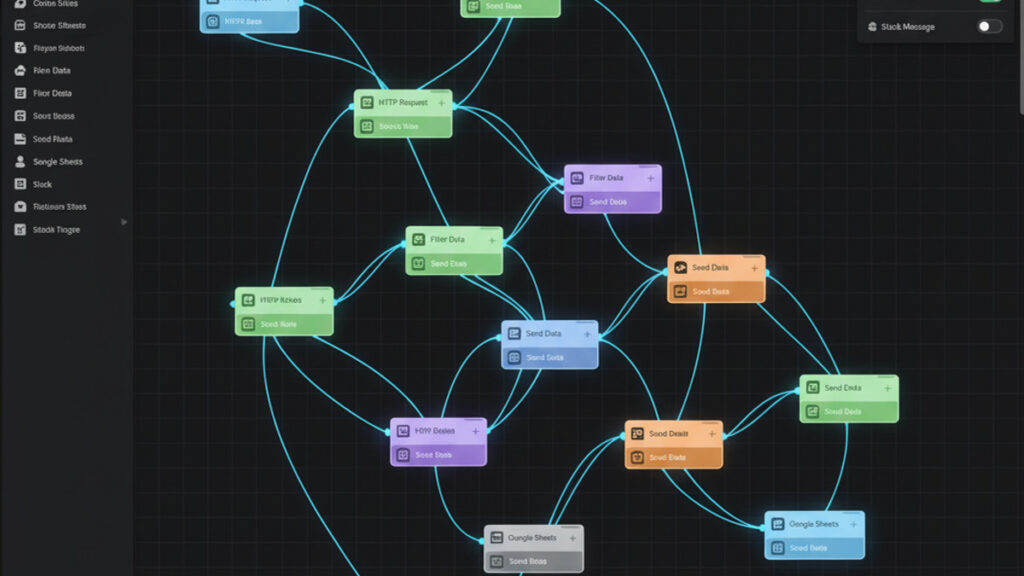
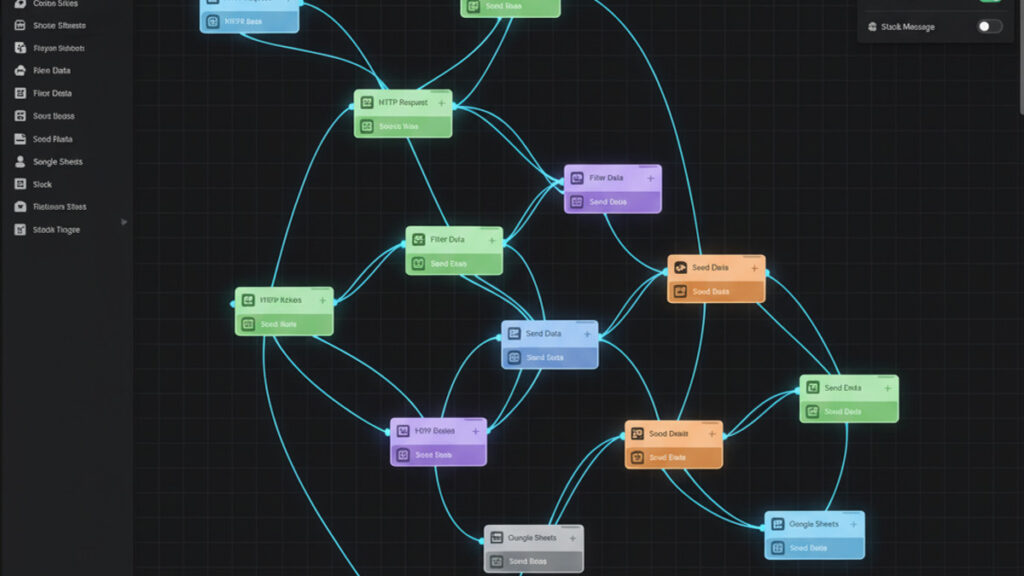
An n8n workflow is a collection of connected nodes. Data normally moves from left to right, and you can inspect the input and output of individual nodes while testing. The official n8n key concepts documentation explains the editor’s terminology.
Triggers start a workflow
Every active workflow needs a starting event. Common triggers include schedules, incoming webhooks, app events, manual tests, and polling checks. The right choice depends on the connected service and how quickly the process must run.
A webhook is usually near real time because the source sends data when an event occurs. Polling asks for new data at intervals, which may be easier but can add delay and API requests. For a public endpoint, authenticate requests, validate the payload, and follow our n8n webhook security guide.
Action nodes perform the work
Action nodes interact with services or process data. A node might create a record, send a message, query a database, or call an API through the HTTP Request node. Built-in integrations reduce setup work, while generic protocol and API nodes cover services without a dedicated connector.
Credentials are stored separately from workflow logic. That is safer than pasting secrets into a code block, but administrators still need access controls, encryption, secure backups, and key rotation.
Logic controls the route
Filters and conditional nodes choose different paths. An “urgent” support request might create a high-priority ticket, while a standard request enters the normal queue. Merge, loop, wait, and transformation steps can model more complex processes.
Use branching carefully. A canvas with many crossing paths becomes difficult to debug. Move a section with one clear purpose into a reusable sub-workflow and give every node a descriptive name.
Executions show what happened
Each run is an execution. Execution data reveals which node succeeded, what input it received, and where a failure occurred. Production workflows should not depend on someone noticing an error manually. Add an error route, alert the owner, and store enough context to retry safely. Our n8n error workflow guide covers this reliability layer.
n8n Cloud vs self-hosted n8n
n8n offers a managed Cloud service and self-hosting on infrastructure you operate. Workflow-building concepts are similar, but ownership and operational responsibility differ. Check the official deployment-choice guide before committing.
| Decision factor | n8n Cloud | Self-hosted n8n |
|---|---|---|
| Setup | Fast; hosting is managed | You deploy and configure the instance |
| Maintenance | Platform operations are handled for you | You own updates, backups, monitoring, and recovery |
| Infrastructure control | Limited to hosted-service options | More control over network, region, storage, and runtime |
| Cost model | Subscription plans and allowances | Edition plus server, storage, monitoring, and staff time |
| Best fit | Teams that want to build without operating servers | Teams with a clear control need and operations capacity |
Cloud is usually the simpler beginner choice. Self-hosting can make sense for data-residency requirements, private network access, custom infrastructure, or an established operations team. It is not automatically “free”: even when Community Edition fits, compute, storage, backups, domains, TLS, monitoring, and maintenance have costs. If you are deciding between platforms rather than deployment models, see our n8n vs Zapier vs Make comparison.
Do not self-host only to avoid a subscription. Choose it when control is worth the responsibility. For current plan features and execution allowances, use the official n8n pricing page, not an old comparison table.
Is n8n open source or free?
n8n describes itself as a fair-code licensed workflow automation tool. Its source code is available, and a self-hosted Community Edition exists, but the license includes use restrictions. “Source-available” is therefore more accurate than “open source” in the OSI sense.
For personal projects and internal business automation, Community Edition may fit. Selling hosted n8n access, embedding it in a commercial product, or using another customer-facing model may require different permission. Review the current Sustainable Use License explanation for the specific case; this article is not legal advice.
n8n Cloud is a paid hosted service, and external APIs can charge independently. An automation that calls an AI model, email provider, mapping service, or database may create costs outside n8n.
What can you automate with n8n?
The best projects are repeatable, rules-based processes with clear inputs and outputs. Start with a task that happens often, consumes attention, and has a defined owner when something fails.
Lead capture and qualification
Receive a form, validate required fields, enrich approved data through an authorized service, add the lead to a CRM, and notify sales. Keep human review for high-value or uncertain qualification decisions.
Content operations
Collect approved topics, create editorial tasks, notify reviewers, update a calendar, and distribute a live URL after publication. Automation can coordinate the process, but it should not silently publish unreviewed or factually uncertain content.
Ecommerce and customer operations
Route paid orders, flag unusual records, synchronize permitted fields, and create follow-up tasks. Payments, refunds, inventory changes, and customer messages need validation and idempotency so a retry does not repeat the same action.
Reporting and data synchronization
Pull metrics from approved APIs on a schedule, normalize fields, write dated records, and alert the owner when a source fails. Store timestamps and sources so reports remain auditable.
IT and internal operations
Create tickets from monitored events, route onboarding requests, synchronize internal systems, and send access-expiry reminders. Privileged changes should require approval and least-privilege credentials.
AI-assisted workflows
n8n can connect language models, retrieval sources, tools, and business systems. AI helps with classification, summarization, extraction, and drafts when uncertainty is acceptable and output is reviewed. It is a poor substitute for deterministic rules involving money, permissions, deletion, legal commitments, or sensitive data.
For a focused build, see our n8n AI agent tutorial. Keep permissions narrow, validate model output, set spending limits, and require approval before high-impact actions.
A safe first n8n workflow for beginners
A useful starter project is a scheduled content-monitoring workflow that reads a public RSS feed, filters entries by relevant terms, and sends a private email digest. It teaches triggers, structured data, filtering, and testing without exposing a public webhook or changing production records.
- Define the outcome. Example: “Every weekday at 9:00, email new feed items containing an approved topic.”
- Create a Schedule Trigger. Confirm the intended timezone and use a modest frequency.
- Add the RSS node. Use a legitimate public feed and respect its terms.
- Filter items. Check title or description and handle empty fields.
- Format the digest. Include headline, source, date, and canonical link; do not copy full articles.
- Add email. Send only to an address you control while testing.
- Test each node. Inspect sample input and output before the full chain.
- Add failure handling. Alert the owner without exposing credentials.
- Activate and observe. Confirm repeated runs do not resend the same items.
The official first workflow tutorial is a reliable editor companion. Once the pattern works, document its owner, credentials, schedule, expected volume, and recovery process.
Where n8n works well—and where it does not
Strengths
- Visual transparency: teams can inspect the sequence and data movement.
- Technical depth: APIs, expressions, code, branching, and sub-workflows support advanced logic.
- Deployment choice: managed Cloud and self-hosted options meet different needs.
- Broad connectivity: dedicated integrations and generic API nodes work together.
- Execution history: run data makes troubleshooting systematic.
Limitations
- Complex workflows still require API, data, authentication, and error-handling knowledge.
- Self-hosting transfers operational risk to your team.
- Third-party API changes can break a working workflow.
- Large canvases become hard to maintain without modular design.
- AI nodes add latency, cost, privacy concerns, and non-deterministic output.
- License terms matter for customer-facing commercial products.
Do not use n8n as a transactional application when every operation requires strict database guarantees and complex state management. It may orchestrate that application, while core logic belongs in tested code. Also avoid automating an unstable process before the team agrees on the process itself.
Production checklist before activation
- Use least-privilege accounts and API keys.
- Keep secrets in credentials, not node notes or code.
- Validate external input and restrict public webhooks.
- Add timeouts, limited retries, and error notifications.
- Make write actions idempotent where duplicate execution is possible.
- Separate test and production credentials and data.
- Define retention rules for execution data containing personal information.
- Back up self-hosted configuration and test recovery.
- Assign an owner and document how to pause the workflow safely.
- Review after API, credential, schema, or process changes.
For a broader marketing process, our social media automation workflow guide shows how a spreadsheet can coordinate approved content without uncontrolled posting.
Frequently asked questions about n8n
What does n8n do?
n8n automates multi-step processes between apps, APIs, databases, files, and AI services. A trigger starts a workflow, and nodes retrieve, transform, route, or send data according to your rules.
Do I need coding skills to use n8n?
No coding is required for many basic workflows. Understanding JSON, APIs, authentication, expressions, and basic JavaScript or Python helps with advanced integrations and troubleshooting. Production reliability also requires security and operational knowledge.
Is n8n free?
A self-hosted Community Edition is available under n8n’s fair-code license, but infrastructure and maintenance are not free. n8n Cloud is a subscription service. Check current pricing and license terms because both can change.
Is n8n open source?
n8n’s source is available, but the Sustainable Use License restricts some uses. It is more accurate to call n8n source-available and self-hostable than OSI open source.
Should a beginner choose Cloud or self-hosted n8n?
Most beginners should choose n8n Cloud when they want to learn workflow building without managing infrastructure. Self-hosting fits a specific control requirement when someone can secure, update, monitor, and recover the server.
Can n8n automate AI agents?
Yes. n8n includes AI-oriented nodes and can connect models with tools and business data. Treat an agent as an untrusted decision component: limit permissions, validate output, protect sensitive data, and require approval before high-impact actions.
Final recommendation
n8n is a strong fit when you need a visible, configurable workflow connecting several systems with more logic than a basic app connector. Begin with one low-risk process, measure whether it reliably saves work, and add complexity only after monitoring and recovery are in place. Choose Cloud for speed and lower operational burden; choose self-hosting for a defined control need—not simply because it appears cheaper.
The best automation is not the largest canvas. It is a documented process that runs predictably, fails safely, and has a human owner.