
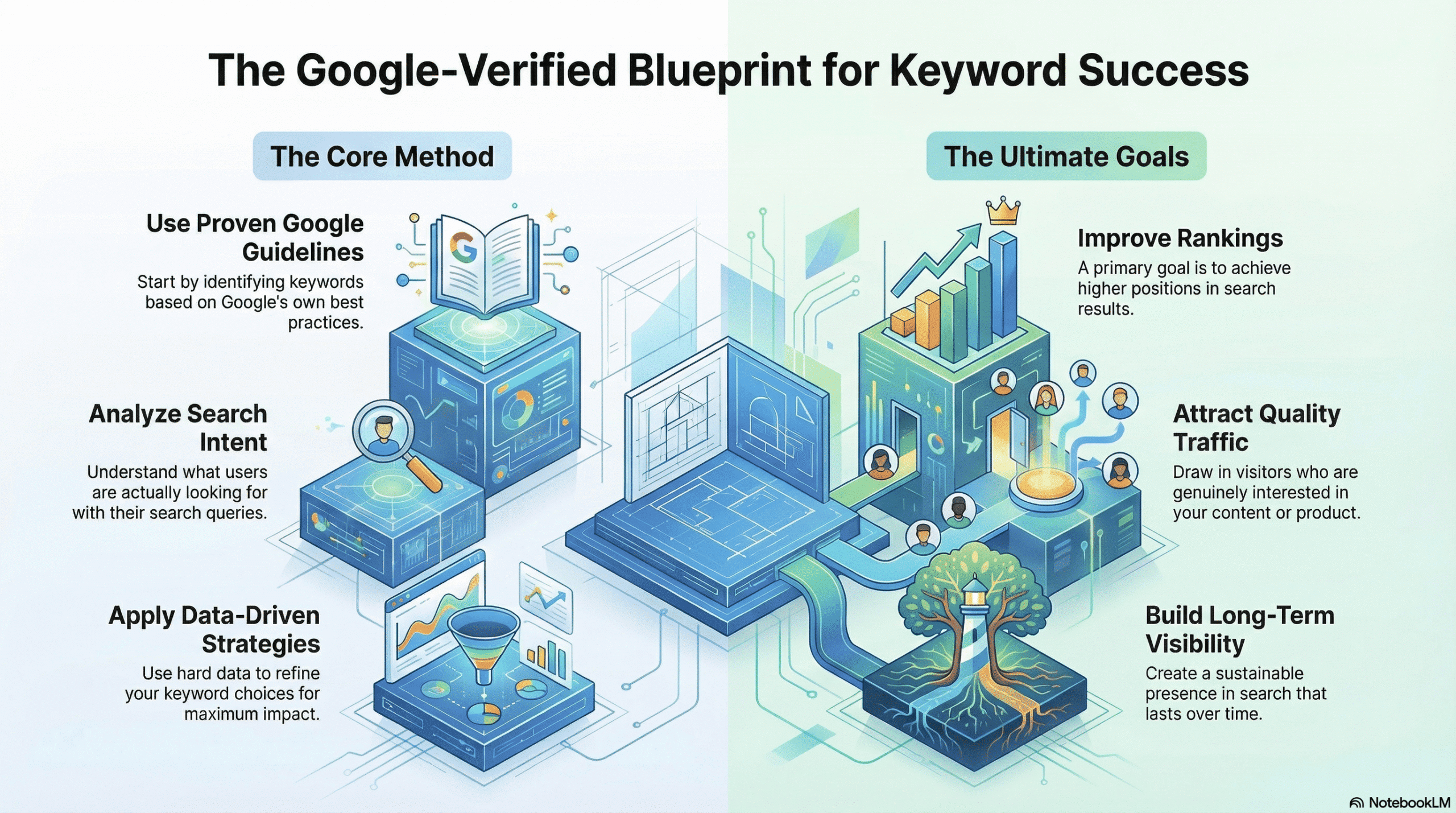
Google Verified SEO Keyword Research Guide is the foundation of successful SEO, and doing it the Google-verified way makes all the difference. In this guide, you’ll learn how to identify the right keywords using proven Google guidelines, search intent analysis, and data-driven strategies to improve rankings, attract quality traffic, and build long-term search visibility.
PART 1: The Core Strategy of Google Verified SEO Keyword Research Guide
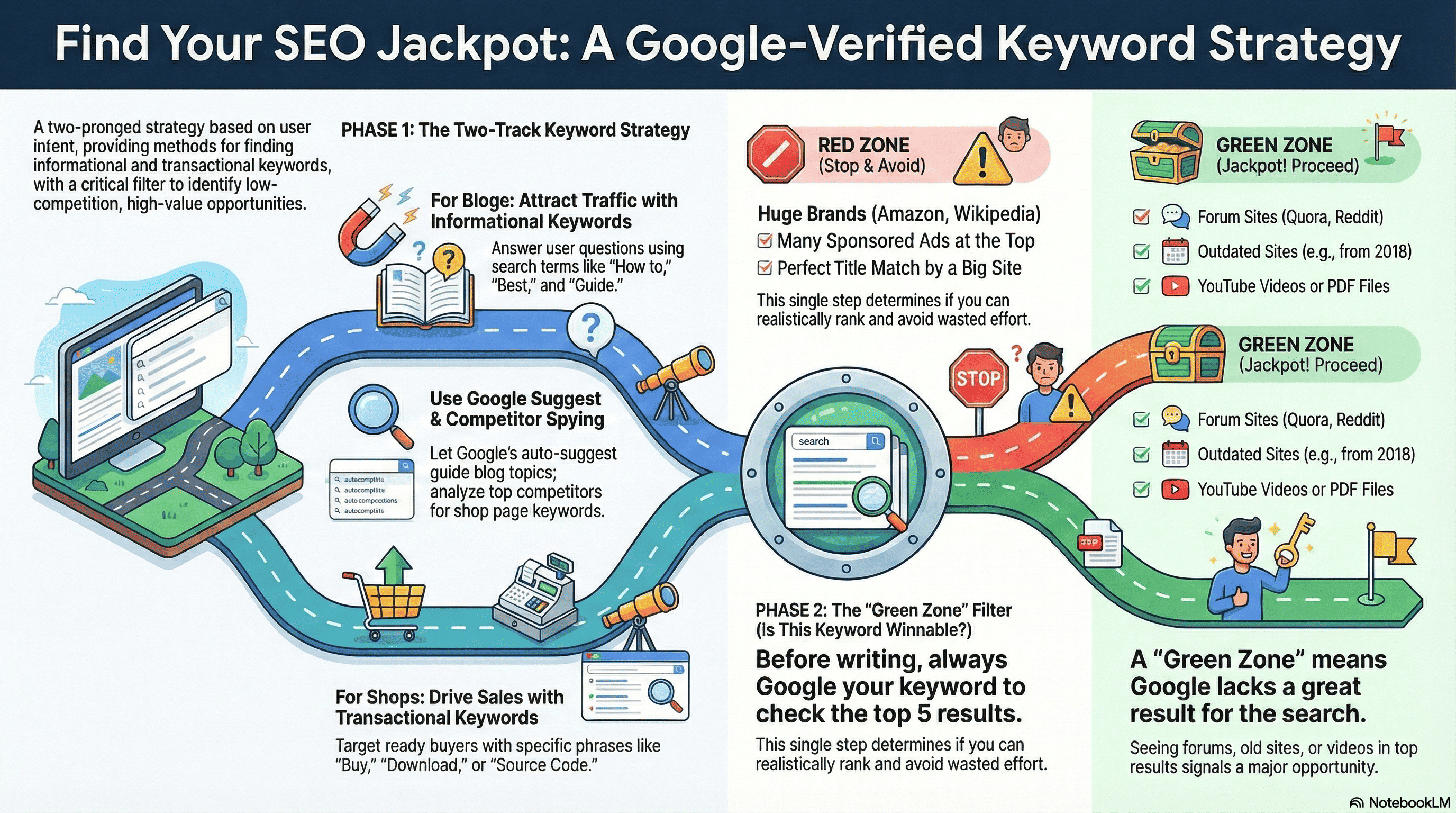
SEO mein jeetne ke liye aapko apni website ko Do (2) Alag Hisson mein baatna hoga. Dono ke keywords dhundne ka tarika bilkul alag hai.
| Section | Goal | User Ka Iraada (Intent) | Keyword Type |
| Blog / How-To | Traffic Lana (Users ko site par bulana) | Seekhna (Informational) | “How to”, “Best”, “Tips”, “Guide” |
| Shop Page | Maal Bechna (Conversion) | Khareedna (Transactional) | “Buy”, “Download”, “Source Code”, “Premium” |
PART 2: Keyword Research Process (Step-by-Step)
A. Blog Section Ke Liye (Traffic Strategy)
User ke dimaag mein ek sawal hai, humein uska jawab dena hai.
Step 1: Broad Topic Sochiye
- Example: “AI Automation”
Step 2: Google Auto-Suggest (Golden Method)
Google search bar mein topic likhein lekin Enter mat dabayein. Dropdown list dekhein.
- Google: “How to use AI automation in…”
- Result: “How to use AI automation in digital marketing” (Yeh apka topic hai).
Step 3: ‘People Also Ask’ Section
Search result ke beech mein jo questions aate hain, wo topics note karein.
- Q: “Is Python good for automation?”
- Action: Is question ko apne article ki H2 (Sub-heading) banayein.
Step 4: LSI Keywords (Related Search)
Page ke sabse niche “Related Searches” mein jo words hain, unhein apne article ke beech mein natural tarike se use karein.
B. Shop Section Ke Liye (Sales Strategy)
User wallet nikaal kar baitha hai, humein use sahi product dikhana hai.
Step 1: The ‘Product Formula’ Use Karein
Shop ke liye generic keyword use na karein. Yeh formula lagayein:
Formula: [Product Name] + [Technology] + [Feature/Type]
- Galat: “School Management System”
- Sahi: “School Management System Source Code in PHP with Android App“
Step 2: Competitor Spying (Chori Se Seekhna)
CodeCanyon, ThemeForest, ya badi sites par jayein.
- Dekhein top-selling item ka Title kya hai?
- Unhone kaunse words (Tags) use kiye hain?
- Wahi keywords apne Product Description mein use karein.
Step 3: Buying Intent Words Jodein
Keyword mein ye shabd hone zaroori hain:
- Download, Script, Source Code, Template, Nulled Alternative, Cheap, Premium.
PART 3: The Filter – Competition Check (Sabse Zaroori)
Keyword milne ke baad turant content mat likhein. Pehle check karein ki kya aap Google ke Top 10 mein aa payenge?
Search karein apne keyword ko aur Top 3-5 Results dekhein.
🔴 Red Zone (Kaam Mat Karo)
Agar Top results mein ye dikhein, to wo keyword chhod dein:
- Badi Brands: Amazon, Microsoft, GitHub, Wikipedia, Official Documentation.
- Sponsored Ads: Agar upar 4 ads hain, to wahan organic jagah milna mushkil hai.
- Perfect Match: Agar kisi badi website ne exact wahi title likha hai jo aapne socha tha.
🟢 Green Zone (Kaam Shuru Karo)
Agar Top results mein ye dikhein, to yeh Jackpot hai:
- Forum Sites: Quora, Reddit, StackOverflow (Iska matlab Google ke paas koi acchi dedicated site nahi hai dikhane ko).
- Weak Sites: Koi blog jo 2018-2020 ka likha ho aur update na hua ho.
- Irrelevant Results: Aapne search kiya “PHP Script” aur result aa raha hai “Java Tutorial” (Matlab gap hai).
- Social Media: Pinterest images ya LinkedIn posts rank kar rahi hain.
PART 4: Content Structure (Keywords Kahan Dalein?)
Ek baar “Green Zone” wala keyword mil gaya, to use aise fit karein:
1. Blog Post Mein:
- Main Title (H1): Keyword shuru mein rakhein.
- First Paragraph: Pehli 100 words mein keyword bold karein.
- Sub-headings (H2, H3): Related keywords (LSI) use karein.
- URL: webleex.com/blog/apka-keyword-yahan
2. Shop Page Mein:
- Product Title: Formula wala keyword use karein.
- Meta Description: “Buy” aur “Download” words ke saath keyword likhein.
- Product File Name: Image aur Zip file ka naam bhi keyword par rakhein (e.g., school-management-php-script.zip).
✅ Quick Checklist
- Keyword Idea dhoonda (Google Suggest se).
- Keyword Intent check kiya (Info vs. Shop).
- Competition Check kiya (Red vs. Green Zone).
- Competitor se behtar Title banaya.
- Content publish kiya.
👇Example:👇
Chaliye, main abhi Live Simulation karke dikhata hoon. Maan lijiye main aap hoon aur mujhe webleex.com ke Shop Page ke liye ek naya product list karna hai.
Hum “POS System” (Point of Sale Software) ka example lenge.
Step 1: The Search (Google Auto-Suggest ka use)
Sabse pehle main Google par gaya aur type kiya: “POS System Source Code”
(Maine Enter nahi dabaya, bas suggestions dekhe).
Google ne mujhe ye dikhaya:
- POS system source code free
- POS system source code android
- POS system source code in php
- POS system source code in laravel free download (Yeh lamba hai, isey pakadte hain).
Mera chuna hua Keyword:
“Restaurant POS System Source Code in Laravel”
(Maine ise thoda aur specific kar diya kyunki ‘Restaurant’ ki demand zyada hai).
Step 2: The Competition Check (Aukat dekhna)
Ab maine is keyword ko Google par search kiya aur Top 5 Results ko dhyan se dekha.
Yahan dekhiye mujhe kya dikha (Hypothetical but Realistic Scenario):
- Result #1 (Ad): CodeCanyon ka Ad (Ise ignore karein).
- Result #2 (Organic):CodeCanyon.net – “FoodPOS – Restaurant POS System…”
- Analysis: Yeh badi site hai, isko beat karna mushkil hai.
- Result #3:YouTube Video – “How to make POS system in Laravel”
- Analysis: GREEN SIGNAL! 🟢 Jab Google Top 3 mein YouTube video dikhata hai, iska matlab hai ki uske paas koi acchi text-based website nahi hai dikhane ko.
- Result #4:Quora.com – “Where can I find open source POS code?”
- Analysis: DOUBLE GREEN SIGNAL! 🟢🟢 Agar Quora (Forum) rank kar raha hai, matlab “Gap” bahut bada hai.
- Result #5:Phpgurukul .com (Ek purani dikhne wali site)
- Analysis: GREEN SIGNAL! 🟢 Is site ka design aksar simple hota hai. Agar webleex.com ka UI accha hai, to aap isse upar aa sakte hain.
Step 3: The Verdict (Faisla)
Kya humein is keyword par kaam karna chahiye?
HAAN (YES). ✅
Kyun?
- YouTube aur Quora Top 5 mein hain: Matlab Google dhoondh raha hai ki koi acchi website aaye jo dhang se content de.
- Badi Companies Gayab hain: Amazon, Capterra, ya badi software companies “Source Code” keyword par rank nahi karti. Sirf CodeCanyon hai, jo ki ek marketplace hai (article nahi).
Step 4: Execution Strategy (Ab aap Webleex par kya karenge?)
Chunki humein “Gap” mil gaya hai, ab hum is keyword ko pakad kar apna page banayenge:
1. Page Title (SEO Optimized):
“Restaurant POS System Source Code in Laravel – Download Premium & Free Version”
2. Product Description (Smart Work):
- Quora par log jo sawal puch rahe the (e.g., “Does it support barcode scanner?”), uska jawab apne description ke features mein likh dein:
- Feature: Barcode Scanner Support Included.
3. The Content Upgrade:
- Jo video rank kar rahi hai, usse behtar screenshots apne page par dalein.
- Setup Guide likhein (kaise install karein), kyunki CodeCanyon par usually sirf bechne par focus hota hai, guide par nahi.
Summary: Kaise Pehchanein “Low Competition”?
Agar search karne par aapko ye dikhein, toh wo Low Competition hai:
- 📹 YouTube Videos
- 🗣️ Quora / Reddit / StackOverflow
- 🏚️ Bahut Purani/Bekaar Design wali sites
- 📄 PDF Files (Agar Google PDF rank kar raha hai, matlab content ki kami hai).
Conclusition of Google Verified SEO Keyword Research Guide
To doston, ye tha poora blueprint. Agar aap upar bataye gaye Step 1 (Search) se lekar Step 4 (Execution) tak sab kuch sahi se follow karte hain, toh aap andhere mein teer nahi chala rahe, balki data ke saath khel rahe hain.
Ye strategy sirf traffic laane ke liye nahi, balki aapki site pe par sahi audience aur sales laane ke liye design ki gayi hai. Ab aapke paas ek complete roadmap hai—bas is Google Verified SEO Keyword Research Guide ko har naye product aur article ke liye apply karein, aur apni ranking ko badhte hue dekhein. 🚀