
What are the fundamental principles of AI-driven business process automation?
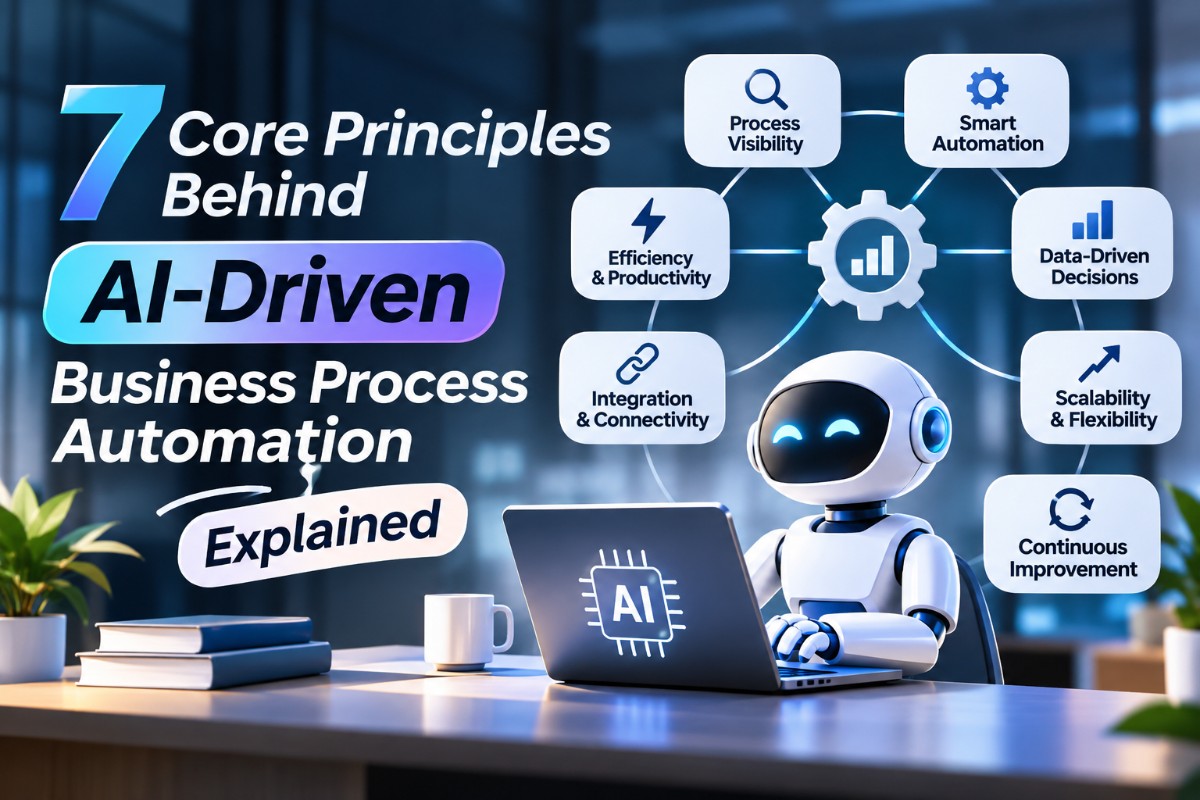
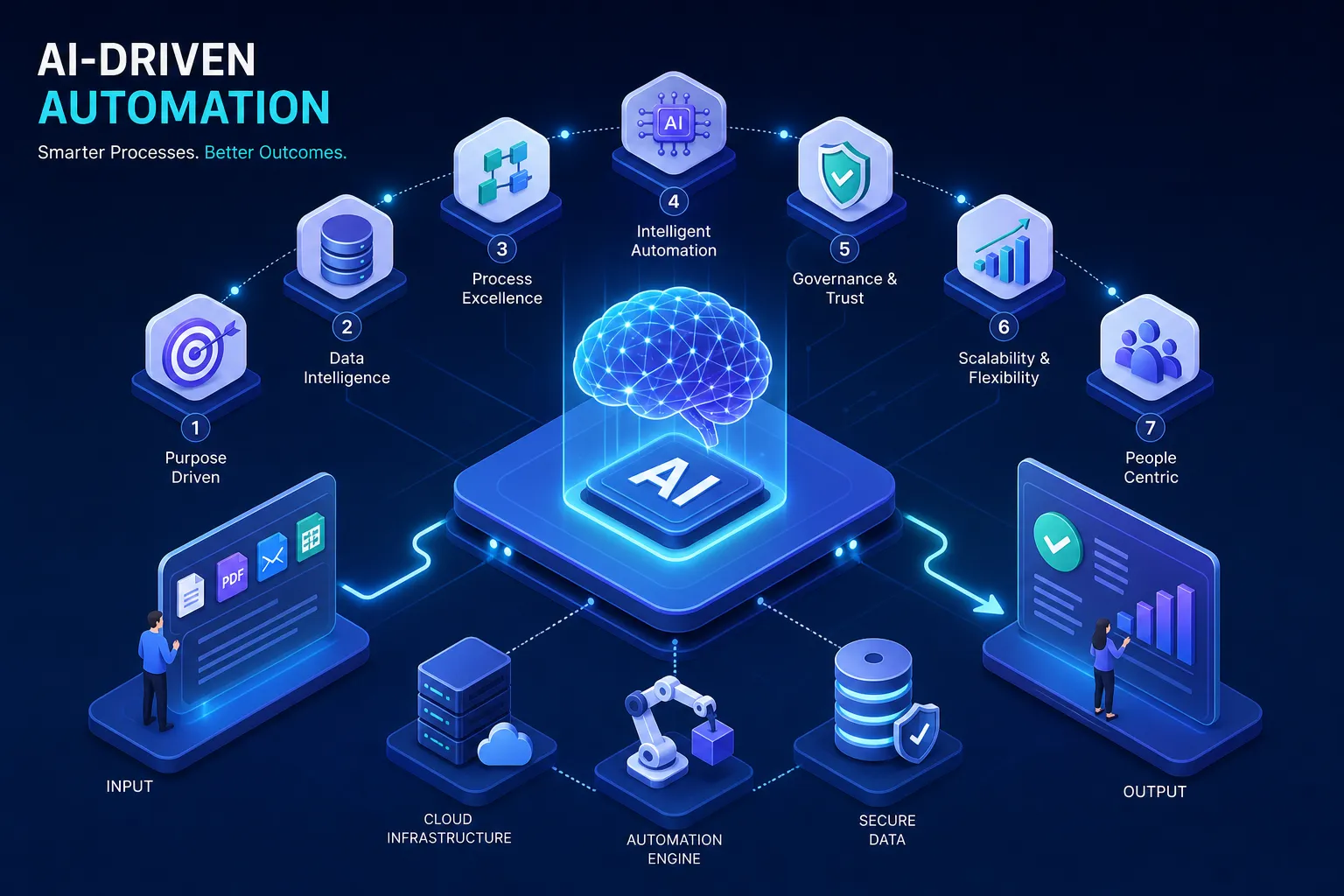
Seven fundamental principles define effective AI-driven business process automation: rule-based logic, machine learning integration, data-driven decision-making, continuous process improvement, human-in-the-loop oversight, automation governance, and redesigning processes before you automate them. Applied together, these principles are what separate a resilient, scalable intelligent automation program from a script that breaks the first time it hits an edge case.
For freelancers, small business owners, and lean teams, that distinction matters more than it does for large enterprises. Without a structured mental model, many automation projects pick the wrong process, skip governance, and fail because of preventable process and oversight issues. To connect these principles to practical workflows, read our AI vs. automation guide, follow the n8n AI Agent tutorial, and compare platforms in n8n vs. Zapier vs. Make. Each section below pairs a principle with a concrete small-business scenario so the concept is actionable, not theoretical.
Key takeaways
- Start with rules: Most effective AI workflows use deterministic rule logic as a foundation or guardrail, with machine learning added where rules cannot cover ambiguity.
- ML adds adaptability: Machine learning handles inputs that rigid rules cannot, such as unstructured text and ambiguous signals.
- Redesign first: Automating a broken process produces broken results faster; simplify the workflow before deploying any tool.
- Feedback loops are non-negotiable: Automation that isn’t monitored drifts, and drifted automation silently damages outcomes.
- HITL is a design choice: Human-in-the-loop oversight is a deliberately engineered review gate for high-risk decisions, not a fallback for AI failure.
- Governance before deployment: Named ownership, audit trails, and rollback procedures should exist before a single automated action runs in production.
Rule-based logic and data-driven decision-making: the automation foundation
Before any ML model enters the picture, every automation program needs a deterministic backbone: explicit rules that map inputs to outputs without ambiguity. This is the layer that makes workflows predictable, auditable, and trustworthy. Data-driven decision-making extends this foundation by replacing manual judgment with structured signals pulled from real process data, so decisions reflect what is actually happening in the business rather than what someone remembers or guesses.
Rule engines handle conditional branching, threshold checks, and policy enforcement in a way that is consistent and repeatable. Without this layer, AI outputs have no guardrails. McKinsey’s automation research consistently emphasizes standardizing the technology lifecycle, and rules form the stable scaffolding around which ML models operate, functioning as the constraint system that keeps probabilistic AI outputs inside acceptable boundaries.
Small business use case: invoice approval routing
Consider a small e-commerce business that replaces its manual invoice review queue with a rule-based router. Orders below a defined dollar threshold auto-approve and post directly to the accounting system. Amounts above that threshold route to the owner for review.
How does machine learning make AI-driven automation smarter over time?
Machine learning integration is what moves AI-powered workflows from “if-then” scripts to systems that improve as they encounter more data. Where rule engines handle known, structured inputs, ML models handle the inputs rules cannot anticipate: unstructured text, ambiguous signals, and edge cases that no policy document predicted. Classification models, anomaly detection, and NLP are the most common entry points for small teams getting started with cognitive automation.
Architecturally, ML models sit above the rule engine and pass outputs through a decision layer that includes confidence scoring. When a model’s confidence falls below a set threshold, the case routes to human review rather than executing automatically. This layered design, combining a process layer, an ML layer, and a decision layer, is what distinguishes intelligent process automation from basic RPA with a few added conditions. ML-driven process orchestration of this kind is what makes the full system more than the sum of its parts.
Small business use case: customer inquiry classification
A freelance digital marketer who manages multiple client accounts can use an ML-powered inbox tool to automatically tag and route incoming emails by intent: billing question, project update, urgent issue, or general request. The system learns from manual corrections over time, steadily improving its tagging accuracy.
Continuous process improvement: why your automation should never be “done”
The set-it-and-forget-it mindset kills most automation programs well before they deliver lasting value. Continuous improvement means building feedback loops into the workflow from day one, monitoring for performance drift, and scheduling regular audits against real business outcomes. McKinsey’s intelligent automation research is direct on this point: what matters is realized value, tracked through cycle time, exception rates, and quality metrics, not the count of tasks that have been automated.
A functional feedback loop looks like a dashboard that tracks straight-through processing rates, exception rates, and cycle time per transaction, with defined thresholds that trigger a review when any metric moves outside an acceptable range. This is also where hyperautomation earns its name: when each deployed workflow feeds learning back into the next one, automation compounds in value rather than decaying.
Small business use case: email response workflow optimization
A solopreneur automates outreach follow-ups using an AI writing tool. A simple feedback loop monitoring reply rates flags the change and surfaces it as an alert.
What does human-in-the-loop oversight actually look like in practice?
Human-in-the-loop oversight is not a fallback for when the AI fails. It is a deliberately designed review gate for decisions that carry meaningful risk, are irreversible, or fall below a defined confidence threshold. HITL design standards consistently require that reviewers receive the model inputs and key decision factors, not just a confidence score, before approving output, so that any review is meaningful rather than rubber-stamped.
Effective HITL design starts with mapping which actions in a workflow are reversible and which are not. Payments, account closures, hiring decisions, regulatory filings, and external communications directed at customers warrant mandatory human sign-off. Routine, low-stakes, high-volume actions can execute automatically. The goal is intelligent triage, not blanket human approval on every output, which defeats the productivity purpose of automation entirely.
Small business use case: AI-assisted job application screening
A small agency owner uses an AI tool to score inbound freelancer applications against a set of defined criteria. The AI ranks every candidate, but the owner reviews anyone flagged as high-potential or borderline before any communication goes out. Low-ranked applications below a clear threshold are deprioritized without manual review.
Governance, audit controls, and AI automation best practices for process redesign
Governance and process redesign share the same timing: both happen before a single bot is deployed at scale. McKinsey’s execution pitfall research introduces the “clean-sheeting” concept, which translates directly in practice: if you automate a broken process, you produce broken results faster. The step that most teams skip is simplifying the workflow first, removing unnecessary approval steps, redundant data entry, and unclear handoffs, before any automation touches it.
The practical minimum governance control set includes an inventory of every automation, named ownership for each one, tamper-resistant decision logs, and a defined rollback procedure. Explainability is part of this: reviewers need to understand why a model produced a specific output.
For small teams, this can start with a spreadsheet-based automation log that records the automation name, owner, trigger, action, and last review date. That simple artifact is the foundation of accountability.
RPA vs. intelligent process automation: a quick comparison
| Operational concern | RPA | Intelligent process automation |
|---|---|---|
| Input data | Structured fields, spreadsheets, predictable forms | PDFs, emails, images, free text, and mixed formats |
| Decision-making | Fixed if/then rules | Interpretation, prediction, and context-sensitive decisions |
| Handles process changes | Requires manual workflow modification | Accommodates some variation with monitoring and tuning |
| Cost and setup effort | Generally faster and cheaper to deploy | More setup, data preparation, testing, and governance required |
| Best scope | Individual repetitive tasks with structured inputs | Broader workflows containing both routine and judgment-heavy steps |
Why redesigning the process first is the principle most teams skip
Before deploying an AI automation for client onboarding, a small agency owner maps the current workflow in detail and finds three approval steps that duplicate each other and two data entry points that could be a single form. Only after the simplified version runs smoothly does automation enter the picture.
The result is an efficient automated workflow rather than a fast version of a messy one. That sequence, simplify first then automate, is the principle that most commonly determines whether an automation program delivers real returns or just adds technical complexity to an existing problem.
Are you ready to put these principles into action?
The seven principles work as an audit framework, not just a reading list. Before launching any AI automation initiative, work through a structured set of questions tied to each principle. Have you mapped the process and removed unnecessary steps before touching a tool? Do you have a named owner for each automation who is accountable for its performance and maintenance? Have you defined what triggers a human review, and does that definition match where your real risk lives?
From there, run through the operational checks. Set a baseline for at least one measurable outcome, such as processing time, error rate, or response time, so you can evaluate performance after deployment. Document what a rollback looks like if the automation produces unexpected results. Confirm that a reviewer can understand why the system produced a specific output, not just read a confidence score. And schedule a review at 30, 60, or 90 days to compare actual results against that baseline.
Readers who want to move from understanding these principles to applying them with practical tools can explore the AI automation tools and step-by-step guides available at WebLeex, designed to make the process accessible for non-technical business owners as well as experienced digital professionals who want to ship faster.
Building an automation program that compounds over time
The seven principles are not a checklist to complete once. They are a framework to revisit at every stage of an automation program. The most resilient AI-powered workflows share the same DNA: deterministic rules for consistency, machine learning for adaptability, data signals for decisions, feedback loops for improvement, human oversight for high-stakes moments, governance for accountability, and clean processes as the starting point.
For a freelancer or small business owner, even applying two or three of these principles to a single workflow delivers measurable gains in time and accuracy. According to recent Searchlab data, 67% of small and mid-sized businesses using AI achieve measurable positive returns within the first 12 months. That number only holds when the implementation is grounded in principles rather than built on hype.
The organizations that treat intelligent process automation as a continuous discipline, measuring, adjusting, and compounding each workflow’s performance over time, will consistently outpace those that treat it as a one-time project. Start with one stable, high-volume workflow. Apply the principles. Measure the result. Then build from there.
Frequently Asked Questions
How do we pick which workflow to automate first?
Pick a stable, high-volume workflow that delivers measurable gains when improved. Start with one workflow that is repeatable and causes clear pain if manual; that lets you apply the principles, set a baseline metric (processing time, error rate, or response time), and measure results before expanding.
What is a simple governance checklist a small team can use before deployment?
The minimum governance controls are an inventory of every automation, a named owner for each automation, tamper-resistant decision logs, and a defined rollback procedure. For very small teams, this can start with a spreadsheet-based automation log that records the automation name, owner, trigger, action, and last review date.
How should we design human-in-the-loop gates so they actually help rather than slow us down?
Design HITL as a deliberate review gate for high-risk, irreversible, or low-confidence decisions, not as blanket approval for everything. Map which actions are reversible, route cases below the model confidence threshold to human review, and make sure reviewers see model inputs and key decision factors so reviews are meaningful rather than rubber-stamped.
How often do we need to review and audit an automation after it goes live?
Schedule regular reviews and build feedback loops from day one; common checkpoints include 30, 60, or 90 days after deployment. Monitor straight-through processing rates, exception rates, and cycle time, and trigger a review whenever those metrics move outside defined thresholds so you catch drift early.